Contract review that knowsyour playbook.
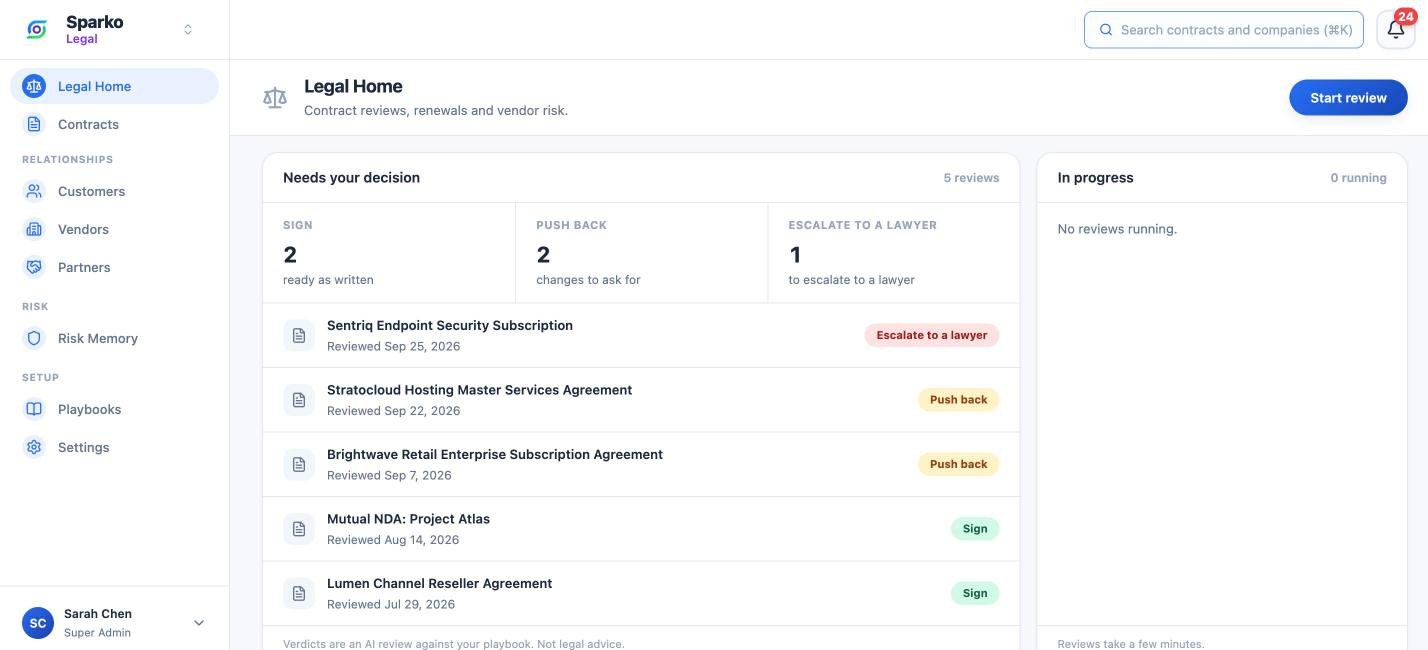
Sparko Legal reads a contract against your positions and tells you to sign, push back, or escalate to a lawyer. You decide each clause. Contracts, renewals, vendors, and risks stay in one place, on the same platform as your people data.
See Legal in the demo workspace.
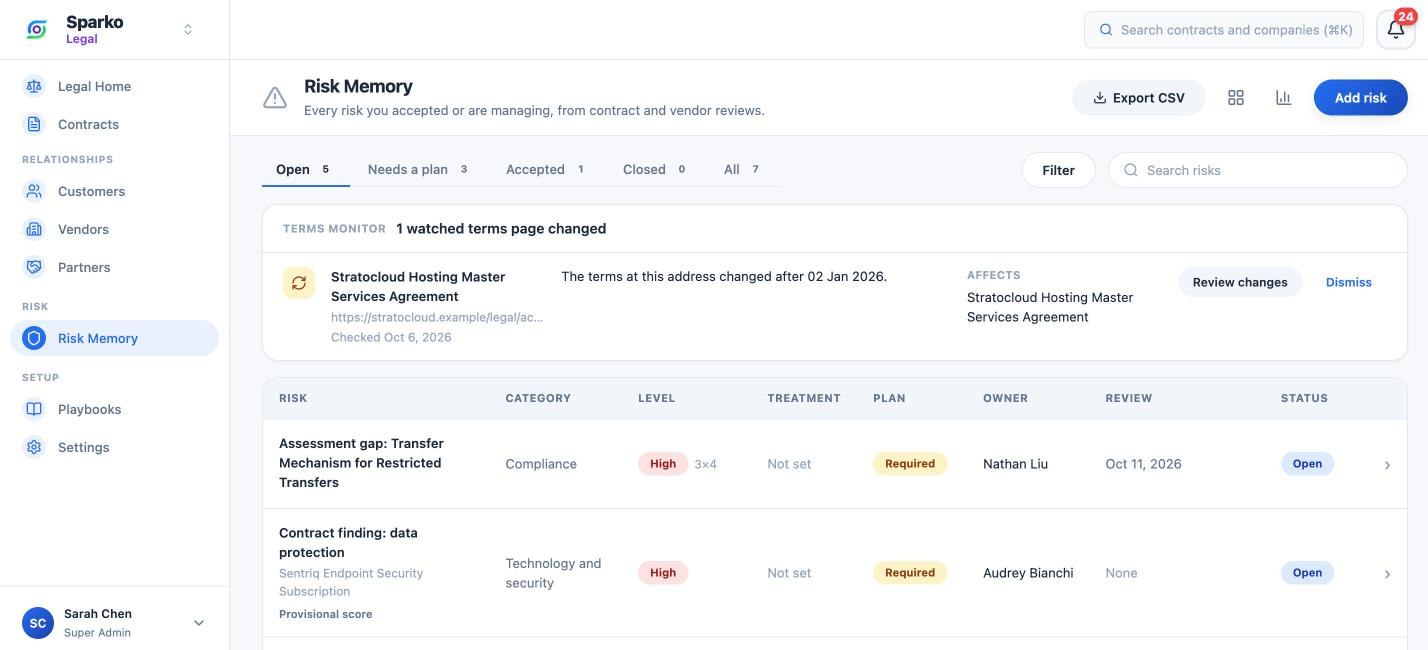
A clear verdict, clause by clause
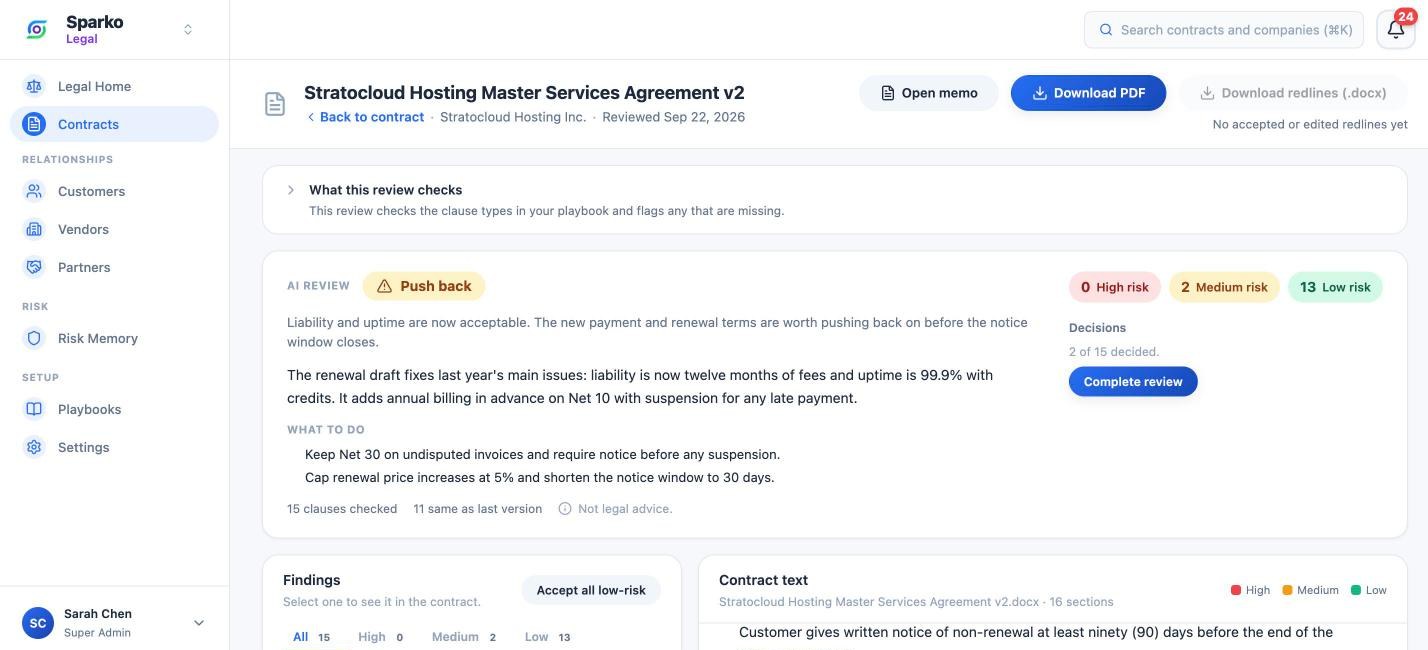
Upload a PDF or Word contract and say which side you are on. In a few minutes the review tells you to sign, push back, or escalate to a lawyer, and why. Every finding quotes the clause, highlights it in the contract, and suggests the wording to ask for.
- Accept, edit, or keep their text for each clause
- Download your decisions as tracked changes in Word
- Renewals reuse the verdict for clauses that did not change
- Linked online terms are fetched and reviewed with the contract
Every contract, deadline, and obligation in one place
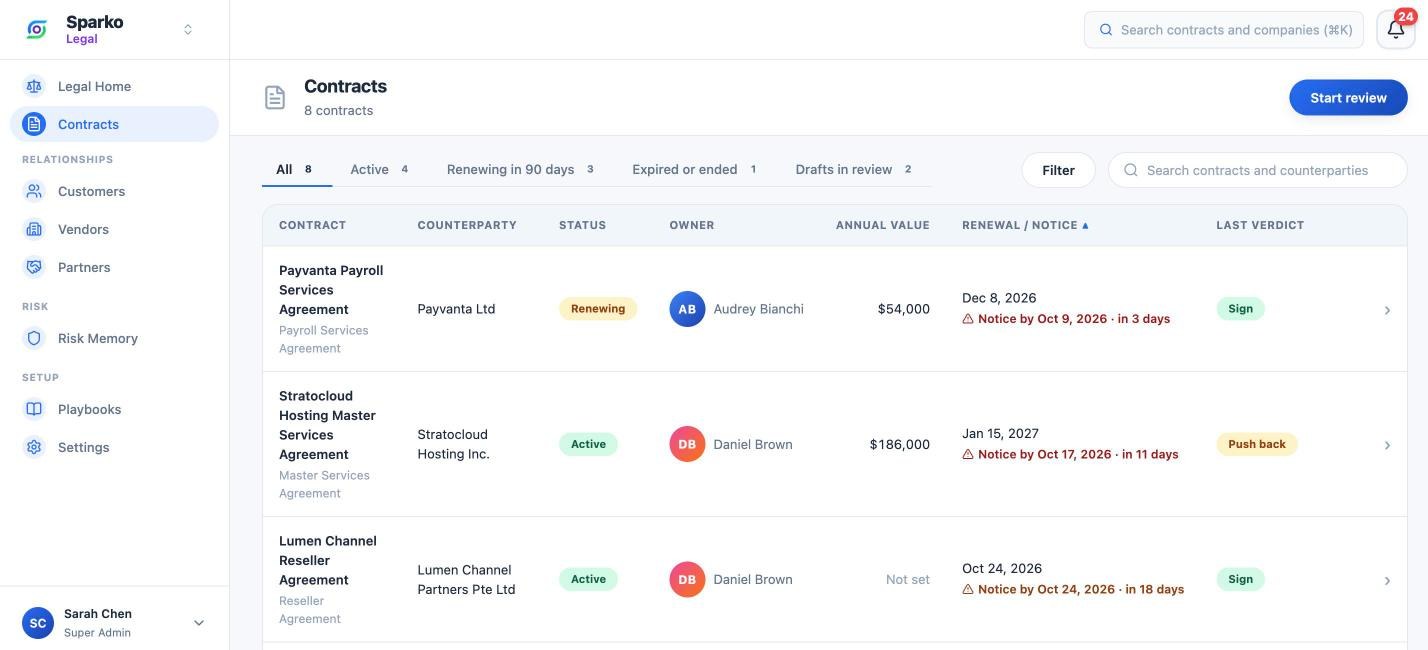
Signed contracts live in one register with their key terms, versions, and owners. Legal Home shows the renewals whose notice deadline falls in the next 30 days, so the window to renegotiate stays open.
- Customers, vendors, and partners, each with their own view
- Recurring obligations that schedule the next one when you mark one done
- Send an approved PDF for signature and get back a sealed, verifiable copy
- Share by person, classify by sensitivity, search from anywhere
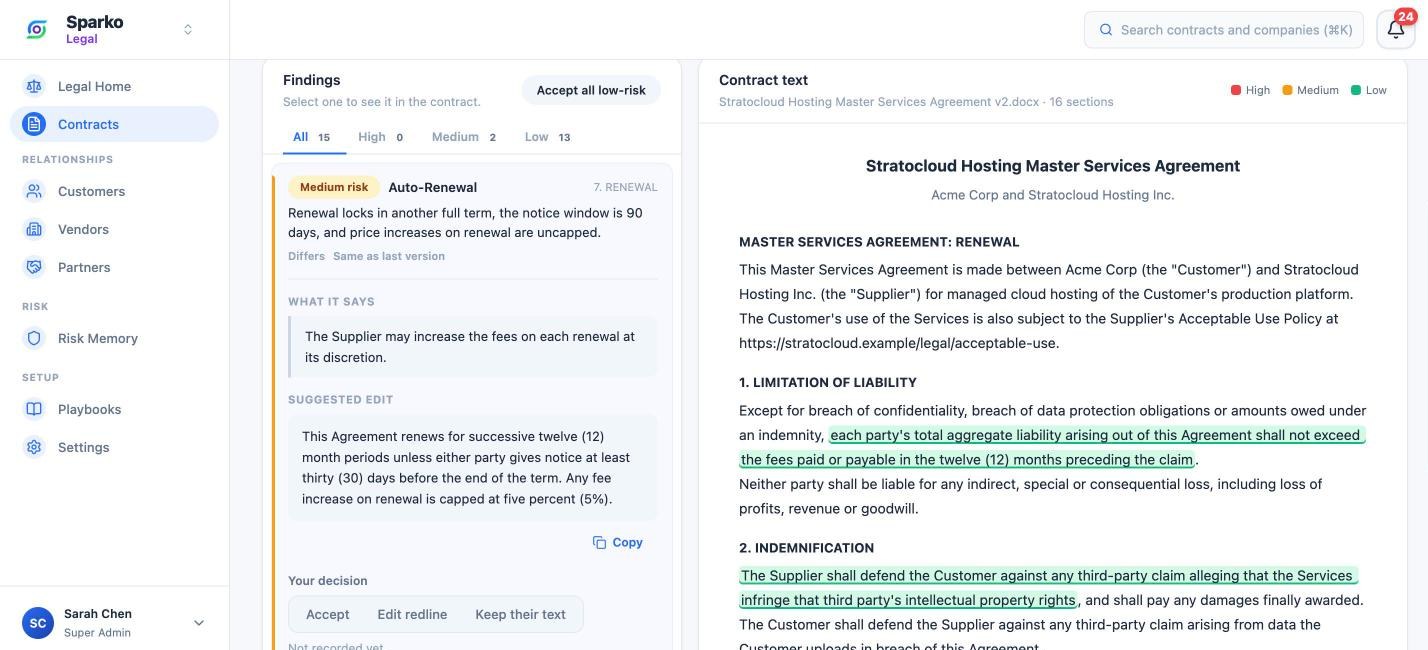
Your positions, approved before they are used
Every company starts with standard buying positions for 15 clause types. Write your own for buying, selling, and partnerships, for all contracts or one category or company. A position reaches a review only after a second person approves it.
- Preferred wording, fallbacks, and walk-away point per clause
- Drafts stay out of reviews until approved
- Import and export as YAML
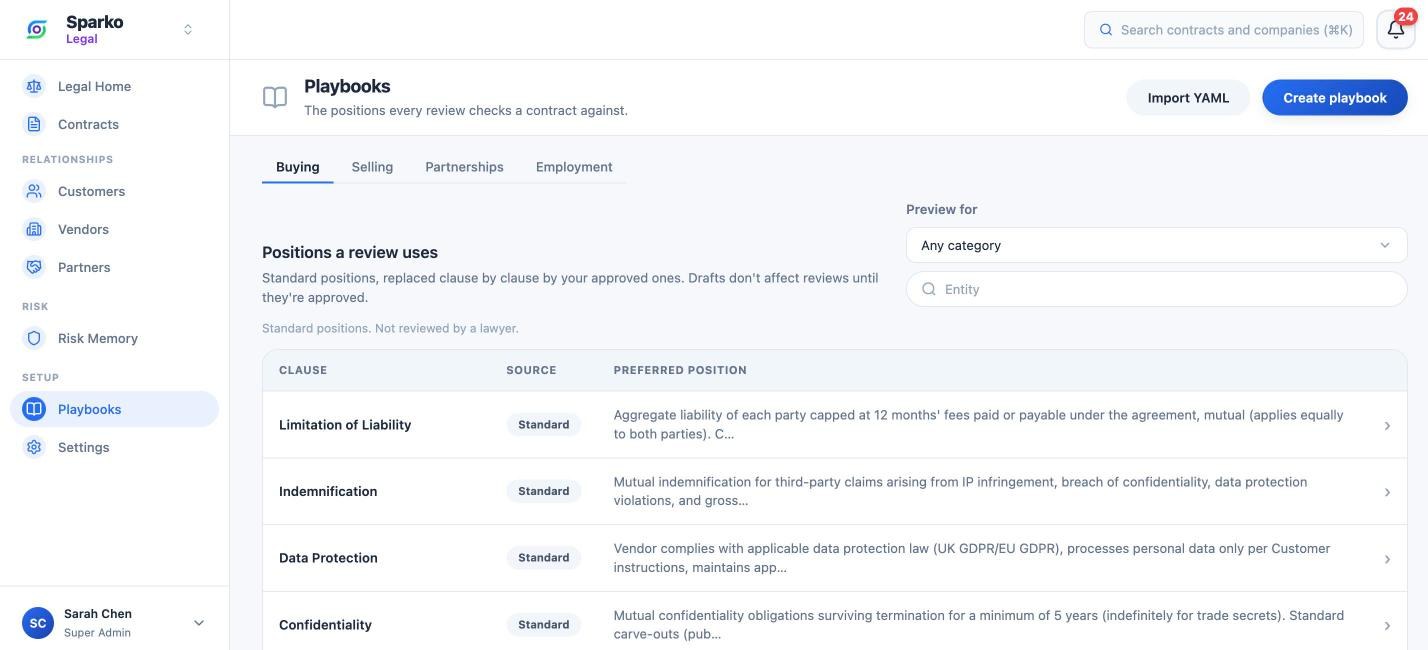
Vendor assessments and a risk register that remembers
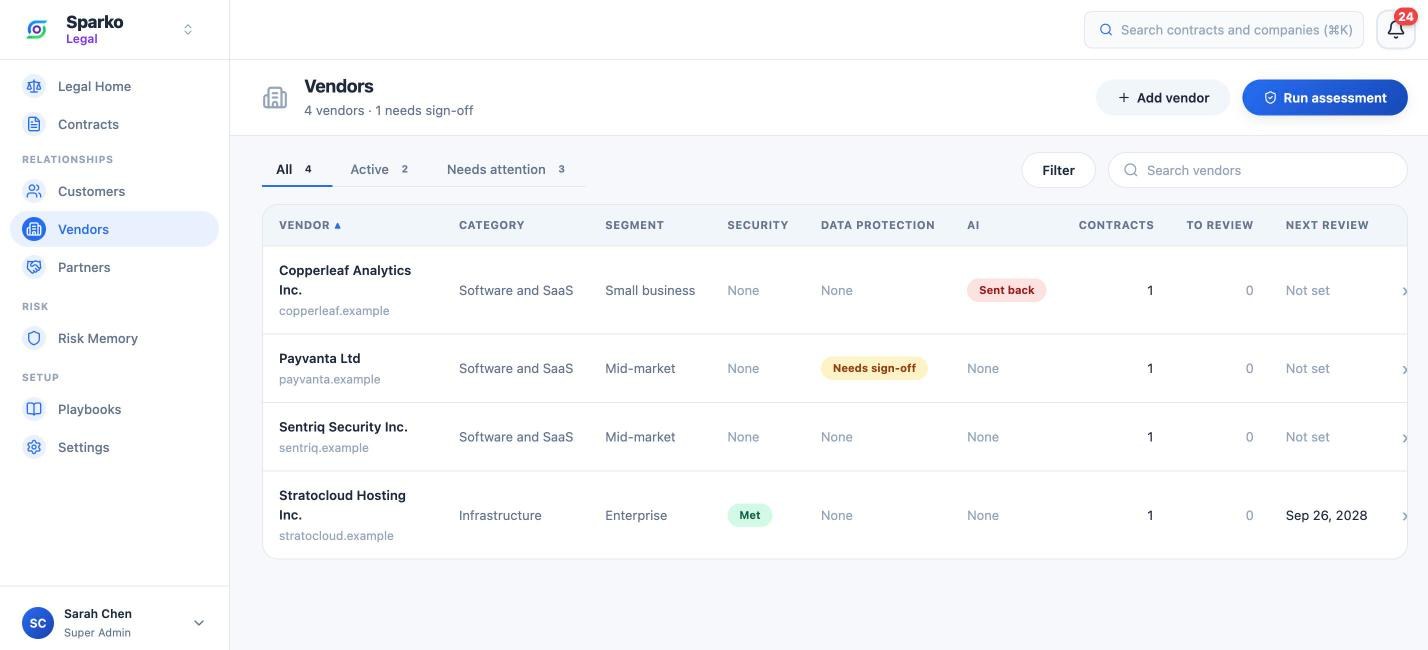
Assess a vendor’s security, data protection, or AI practices from the evidence they send. Each check comes back Met, Gap, or Not enough evidence, and a reviewer signs it off. Gaps become risks in Risk Memory, scored and tracked to a decision.
- Watched online terms are rechecked daily and flagged when they change
- High and Extreme risks need an approved plan before they close
- Export the register as CSV
AI does the reading. Your team makes the call.
The same rule runs through every Sparko product: AI prepares the work, a person reviews it, and every approval is recorded.
A person decides
Every verdict is a starting point. Someone on your team accepts, edits, or keeps each clause.
Plain about its limits
Each review says what it checks and that it is not legal advice. Standard positions are labelled AI-drafted.
Two people by default
Playbook positions, risk plans, and assessment sign-offs take a second person. Small teams can allow self-approval.
Contract text stays data
A contract that tries to steer the review is flagged at the top, and its text is treated as content only.
Frequently asked questions
Bring one contract and your playbook.
Legal is in beta. We will set up your workspace and run your first reviews with you.