How to grow people from their skill gaps
Growth works best when each person can see where they stand, what the next level asks for, and what to do next. In Sparko People that lives on one page, My Development, connected to your career framework, reviews and Learning.
This guide follows an employee from their career journey to a course for a skill gap.
See where you stand on your career path
Open Career. My Development shows your career journey: the levels you have completed, where you are now and what comes next, with a readiness line about what stands between you and the next level.
Your standing reads your skills against the competencies expected at your current level, one competency at a time, and names exactly what you are measured against: level, job family and track.
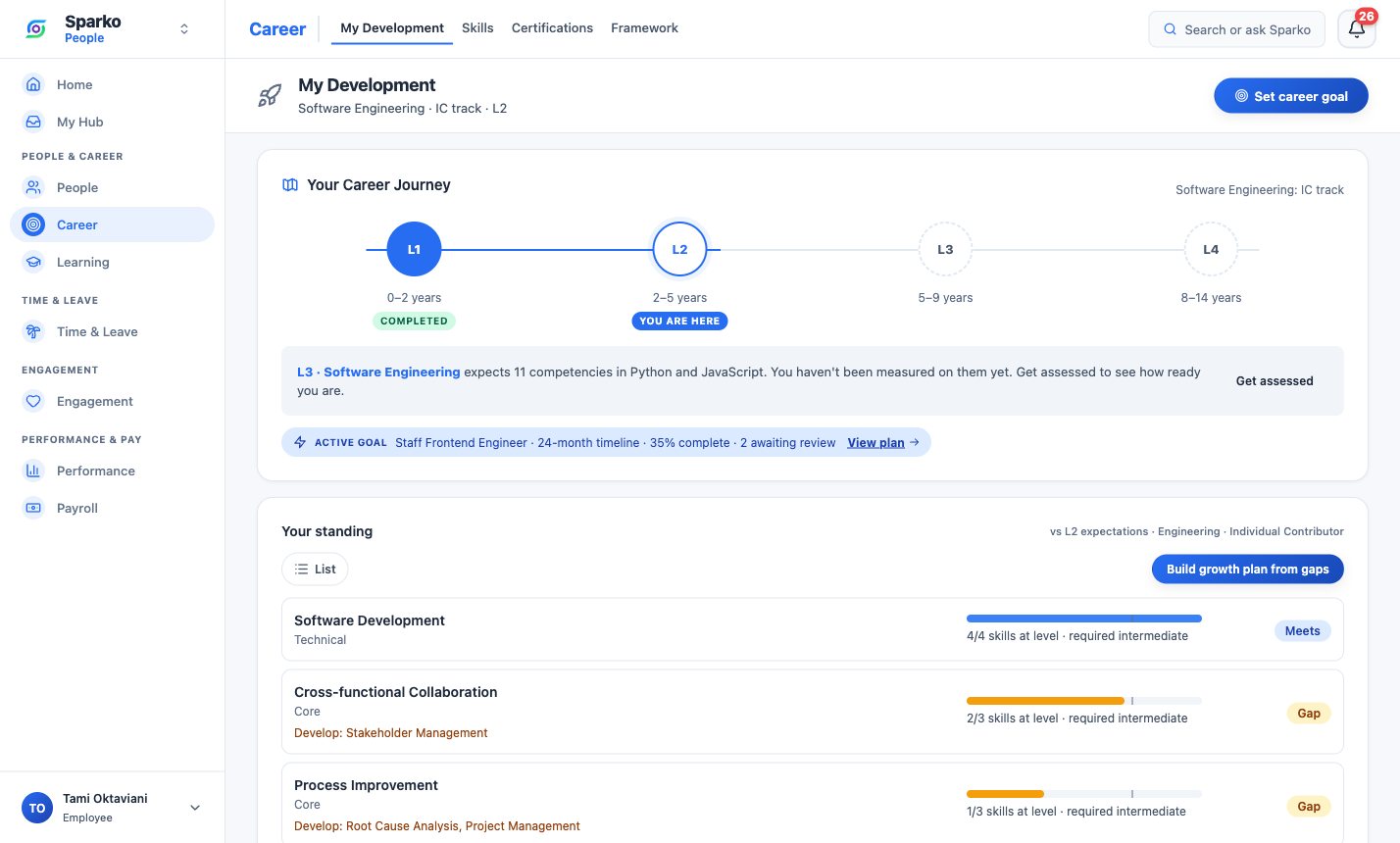
Career journey, active goal and standing against L2 expectations. Turn gaps into a plan
Select Build growth plan from gaps to turn what your standing found into a career goal. Set career goal lets you pick a target track and a 6, 12, 18 or 24 month timeline, and the goal appears on your journey.
On Growth and above, Your AI Career Coach writes a short read of your progress on request, drawn from your skills, goals, reviews and feedback, with suggested milestones you can add to your goal for your manager to approve.
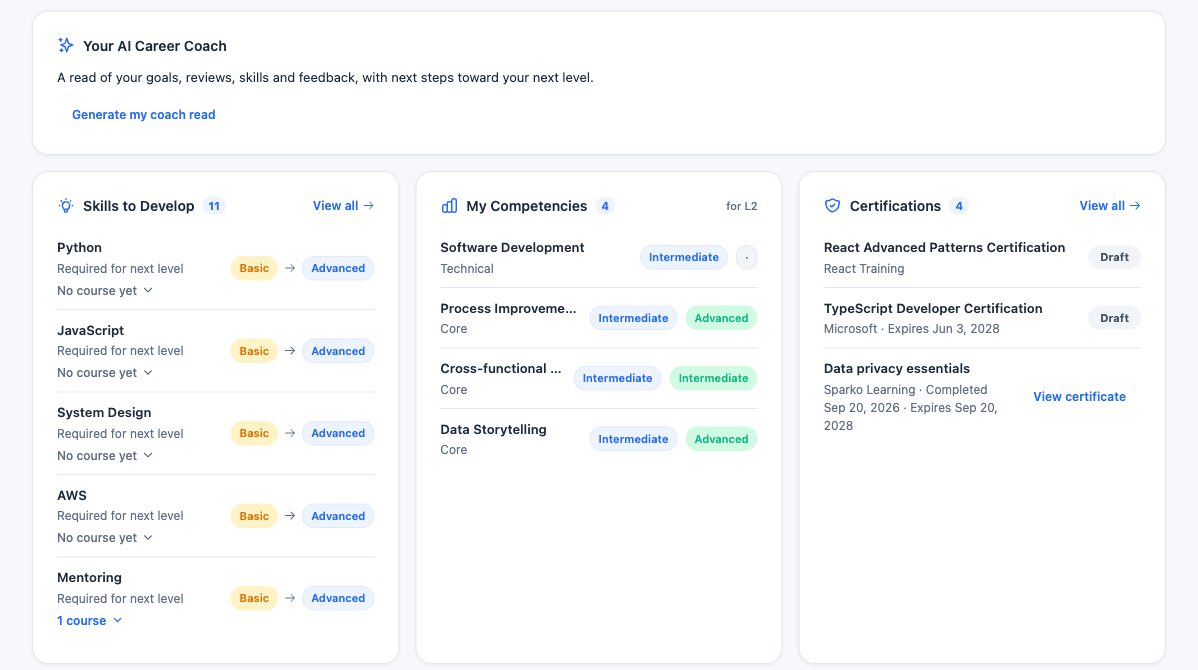
The AI Career Coach (Growth and above) above Skills to Develop, competencies and certifications. Find a course for each skill gap
Skills to Develop lists the top gaps for your next level. Each one shows how many courses cover it. Open it to see the courses, with Enrol for courses open to everyone or Ask your manager for the rest; your manager gets a link that opens the assign form ready to send.
When no course covers a skill yet, Ask for a course tells the people who write courses, so gaps become a course backlog instead of a dead end.
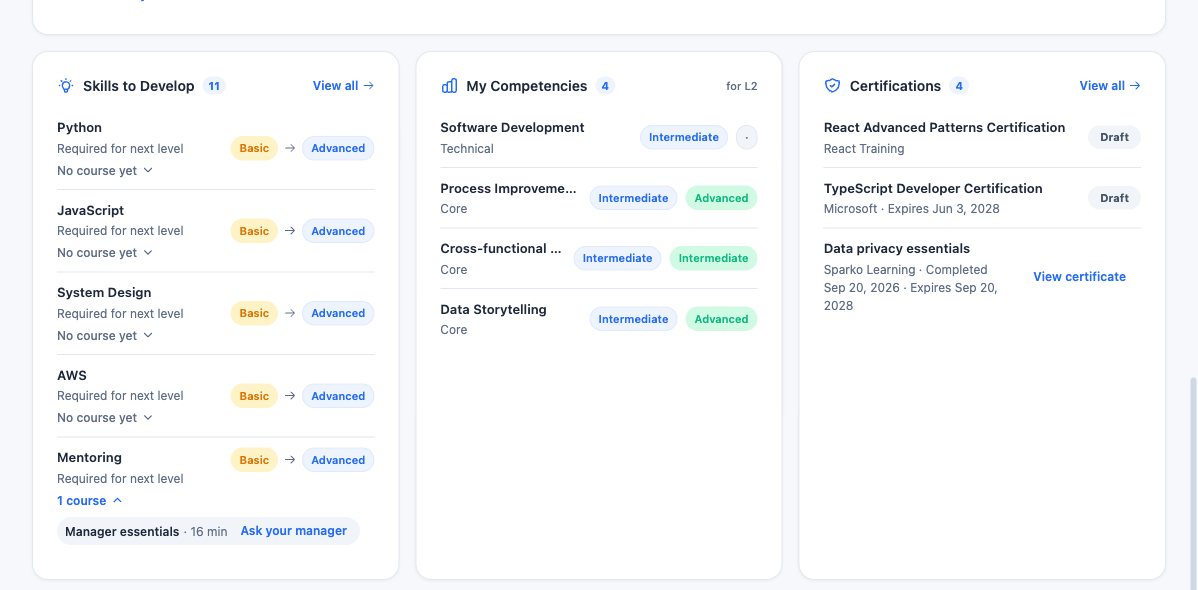
Each gap shows its courses, or No course yet with a way to ask for one. Learn and track progress in one place
Courses you take appear in Learning › My Learning, with due dates, progress and status. Certificates from completed courses show on your Certifications card in Career, so your growth record stays in one place.
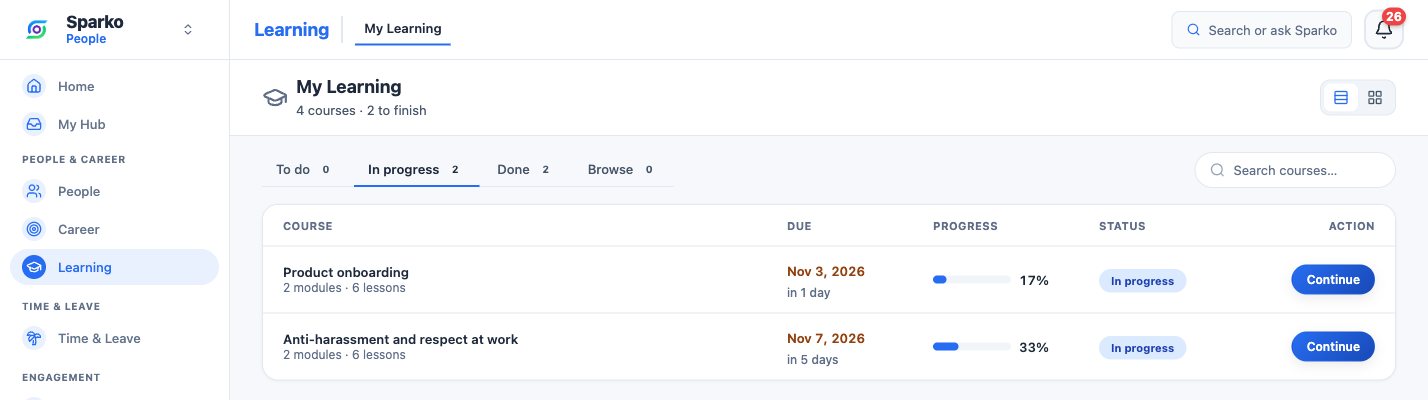
My Learning: what is in progress, when it is due and how far along you are.
What each plan includes
Plans are Core, Growth, Business and Custom. Compare plans and prices.
Questions
What is a skill gap measured against?
Against the competency expectations of the level you are on, from your company's career framework. The page names the level, job family and track it uses.
Does the AI Career Coach run on its own?
No. Opening the page never runs AI. You select Generate my coach read, and a weekly refresh keeps an existing read current while you keep using it. It is on Growth and above.
What happens when no course covers a skill?
The gap shows No course yet. Ask for a course notifies the people who write courses, once per skill, and the row then reads Asked.
Who approves milestones added from the coach?
Your manager approves, adjusts or declines each proposed milestone, in your next 1:1 or from My Hub, and you are told the outcome.
Try it in your own workspace. Sparko People is free for 14 days, no credit card required.