How to set OKRs and track them to the finish
Sparko People keeps company, department, team and personal OKRs in one tree, so everyone can see how their work rolls up. Describe a goal in a sentence and Sparko drafts the objective and key results for you to edit.
Once the quarter is running, progress adds up from each key result, and every OKR shows its trajectory with a forecast of whether it will land by its end date.
See how goals cascade
Open Performance › Goals. The tabs My Goals, Team, Department, Company and All Goals change the scope. Expand a company goal to see its key results and the department goals aligned under it.
Status follows progress: 100% is Completed, 70% or more On Track, 40% to 69% At Risk, under 40% Behind.
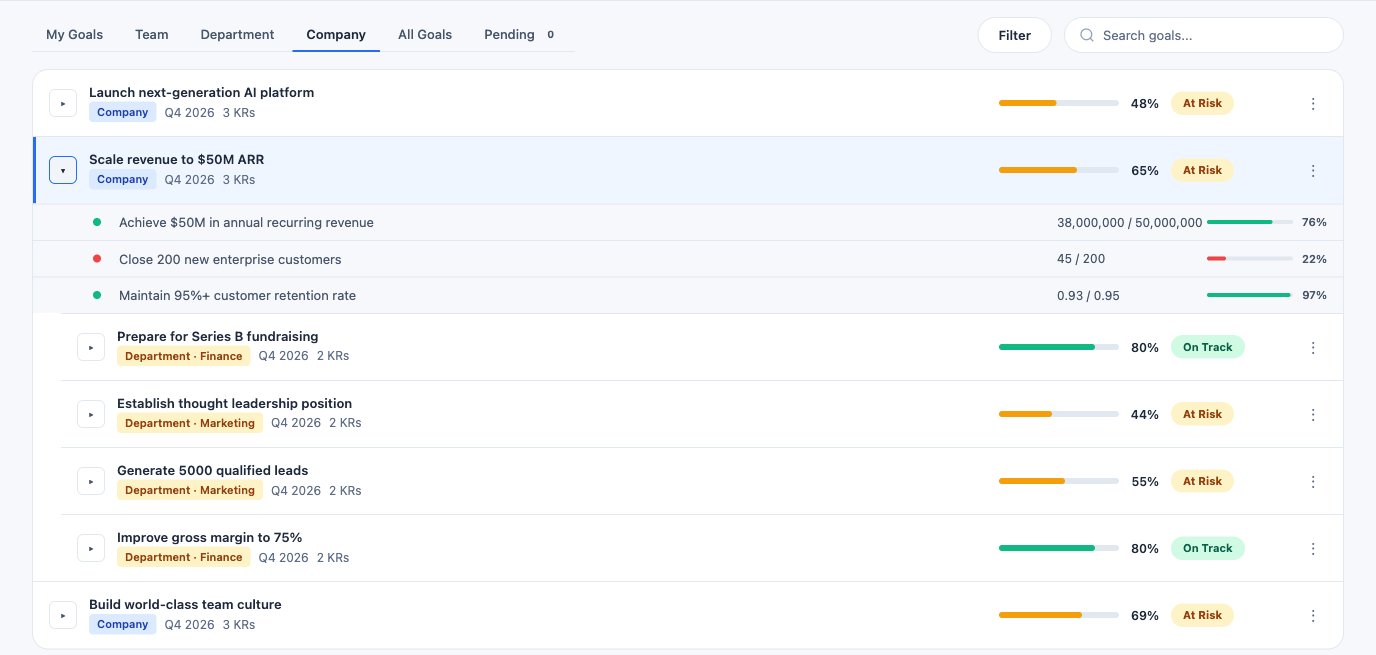
A company goal with its key results and the department goals aligned to it. Describe the goal in a sentence
Select New goal. Under Describe it, type what you want to achieve this quarter in plain words, then Draft with AI. Managers and HR can also Pick from Roadmap to turn a planned roadmap item into a department OKR, or skip AI and start from a blank form.
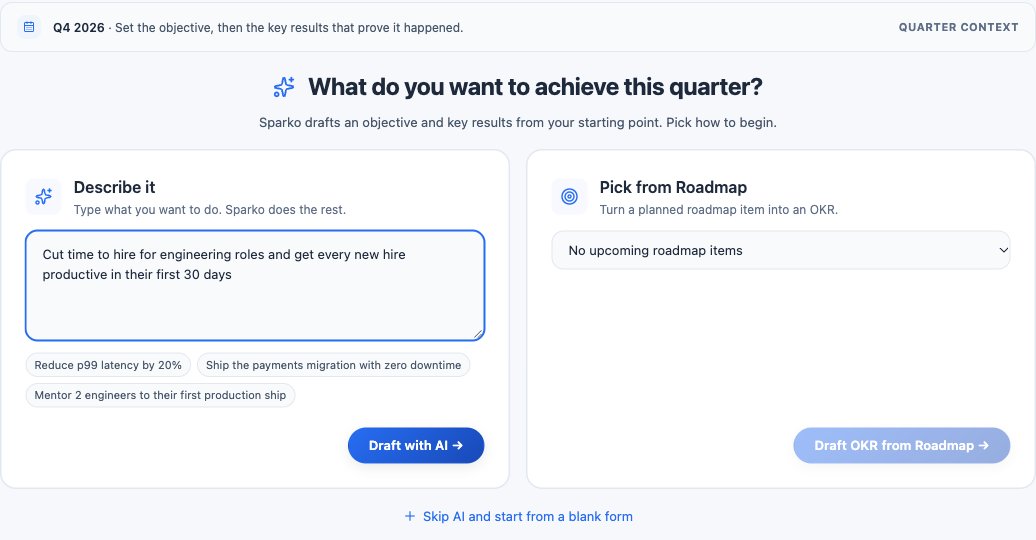
Start from a sentence, a roadmap item or a blank form. Edit the draft before you save
Sparko drafts an objective, a short Why it matters and three to five key results, each with a measurement type, a start value, a target and a unit. Nothing is saved until you select Create OKR.
Replace each start value with your real baseline, since Sparko proposes a starting point and does not read it from your data. Then set the period, the scope (just you, your team, a department or the company) and the parent goal it aligns to.
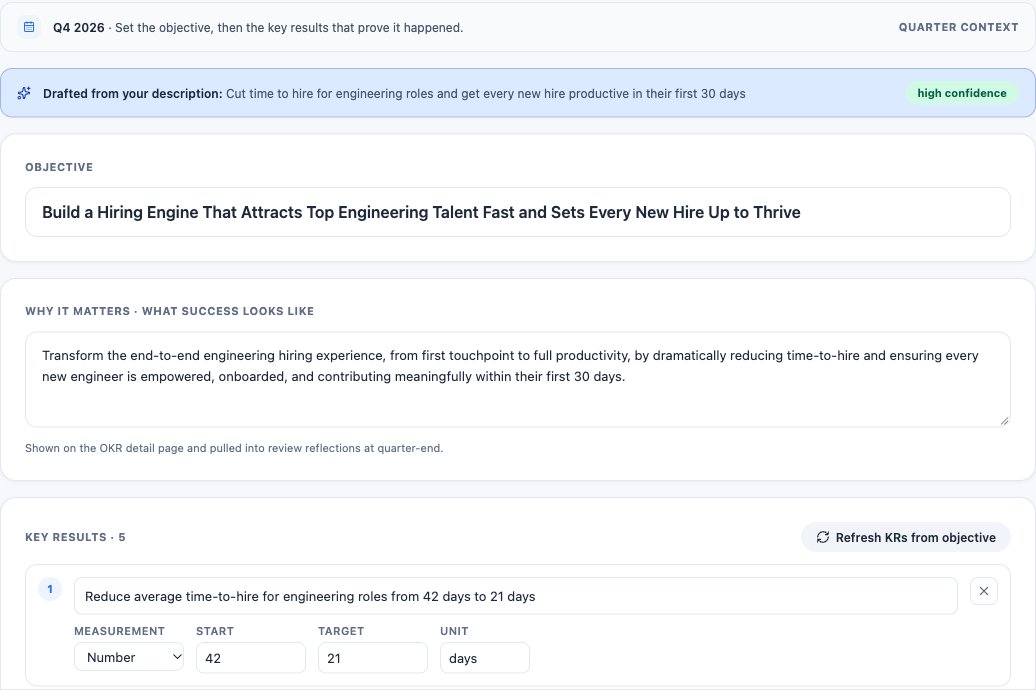
The AI draft: objective, why it matters, and key results with start and target values. Update progress and read the forecast
Select Update on a key result to record its current value with an optional note, and post a check-in with a status. A key result's progress is how far it has moved from its start toward its target, so a lower-is-better result counts down; the goal's progress is the average of its key results.
Trajectory & forecast charts actual progress against the pace needed for 100%, with Sparko's read on whether the objective lands by its end date, the risks behind that read, and recommended next steps. The forecast uses only the OKR's own history and key results, and says how confident it is.
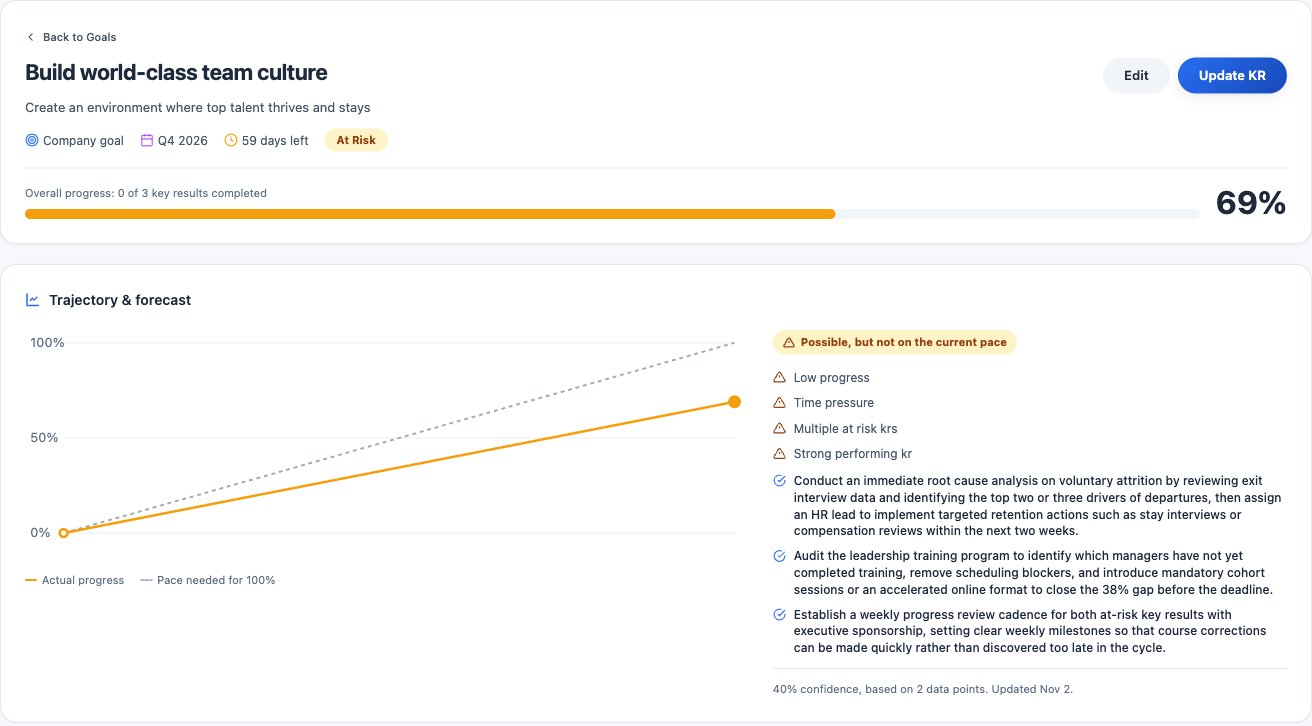
The OKR detail: trajectory, forecast and recommended next steps.
What each plan includes
Plans are Core, Growth, Business and Custom. Compare plans and prices.
Questions
Can I edit an OKR after the quarter starts?
Values and outcomes stay editable. The objective wording and each key result's measurement type lock once the quarter is running, so progress recorded so far keeps its meaning.
What does the forecast read?
Only the objective's progress history, its key results and how much of the period is left. Treat it as a prompt, not a verdict.
Do OKRs feed performance reviews?
Yes. AI-drafted reviews draw on objectives and key results that overlap the review period, and every OKR linked to skills shows learning suggestions for the owner.
Try it in your own workspace. Sparko People is free for 14 days, no credit card required.