How to write a performance review with AI
Sparko writes the review. You check it and approve. Ask once, and Sparko People drafts the whole review from the goals, feedback, recognition and 1:1 notes already in the HRIS, with a source next to every claim.
Nothing reaches the employee until you approve it, so the only work left for the manager is the part that needs judgment: checking that the draft is right.
Ask Sparko to write the review
Open Search or ask Sparko and type the request in plain words, for example "Write a performance review for Zalindra Widiastuti for Q3 2026". Sparko looks up the person, checks what you are allowed to see, and reads their performance data for the period.
Before anything is created, Sparko shows the action it is about to take, such as Generate performance review for 2026-07-01 to 2026-09-30. Confirm it, and the draft arrives in the chat with the period, type, a suggested rating, key strengths and growth areas. It is saved as a draft.
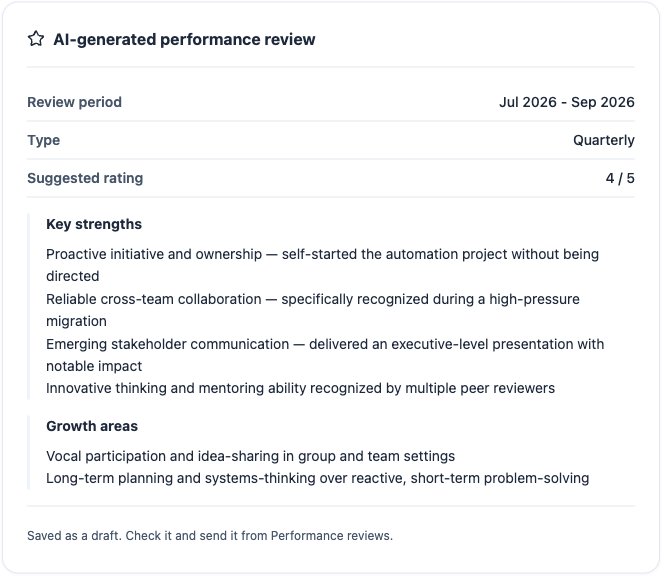
The finished draft in Ask Sparko, saved for you to check. Open the draft from your team's reviews
Go to Performance › Reviews and select Team. The new review sits at the top with a Draft status and an AI badge, next to the employee's earlier reviews. Select Review draft.
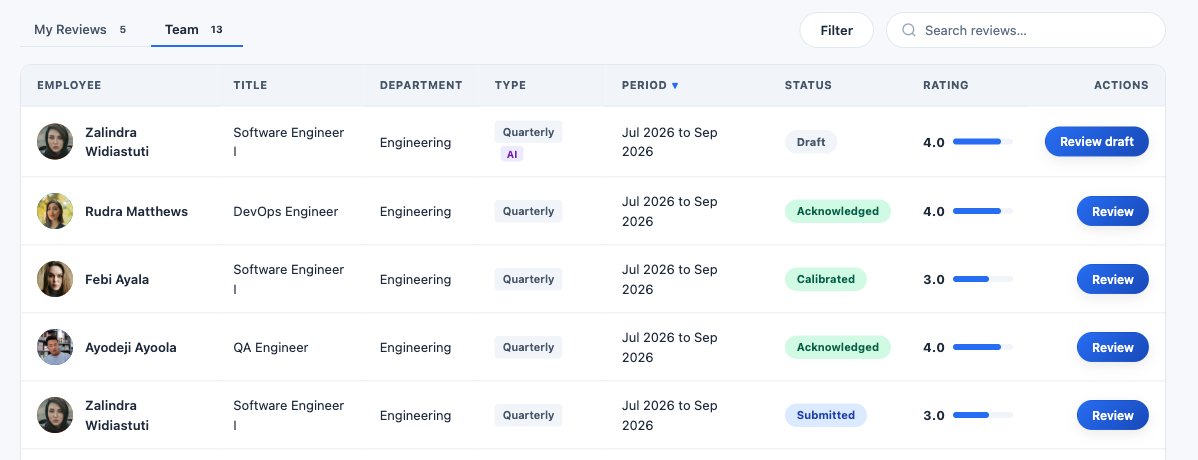
The draft waits in your team's reviews until you act on it. Read the draft
Review the AI-drafted review shows the employee, the review type and period, the overall rating, and the accomplishments, each written as the situation, the task, what the person did and the result.
Below them come Areas for improvement and a Development plan with a concrete next step, so the review ends with something the employee can act on.
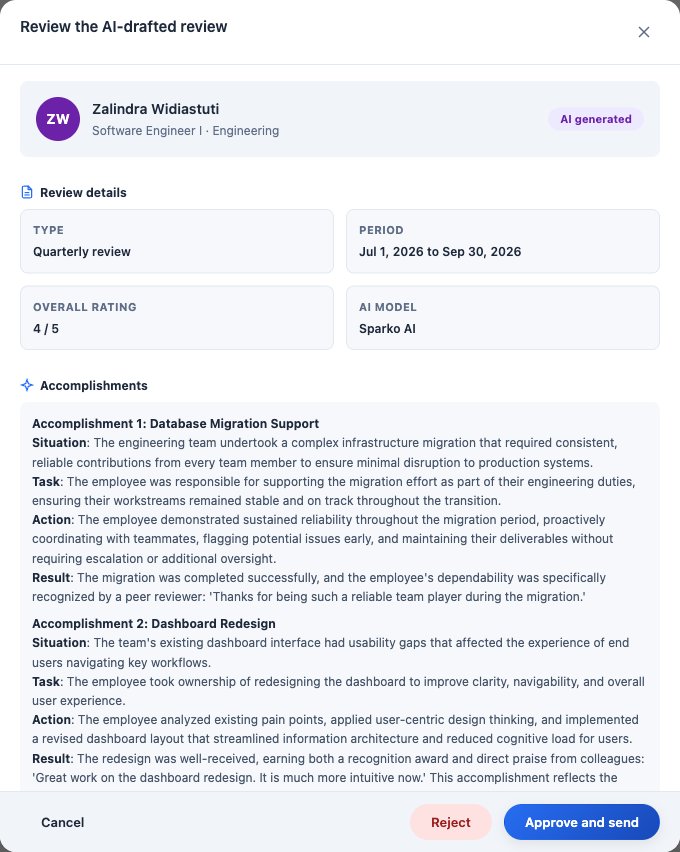
The draft, with the rating and accomplishments up front. Check every claim against its source
What each claim is based on pairs each sentence Sparko wrote with the evidence behind it: an objective, a feedback item, a recognition post, a 1:1 note or a reflection. Drafts draw only on public recognition, never private messages.
A sentence with no supporting evidence is left uncited rather than pinned to the nearest record, and a citation that points to anything Sparko was not given is dropped before you see the draft. If a sentence is rewritten, its citation is removed, because it no longer describes those words.
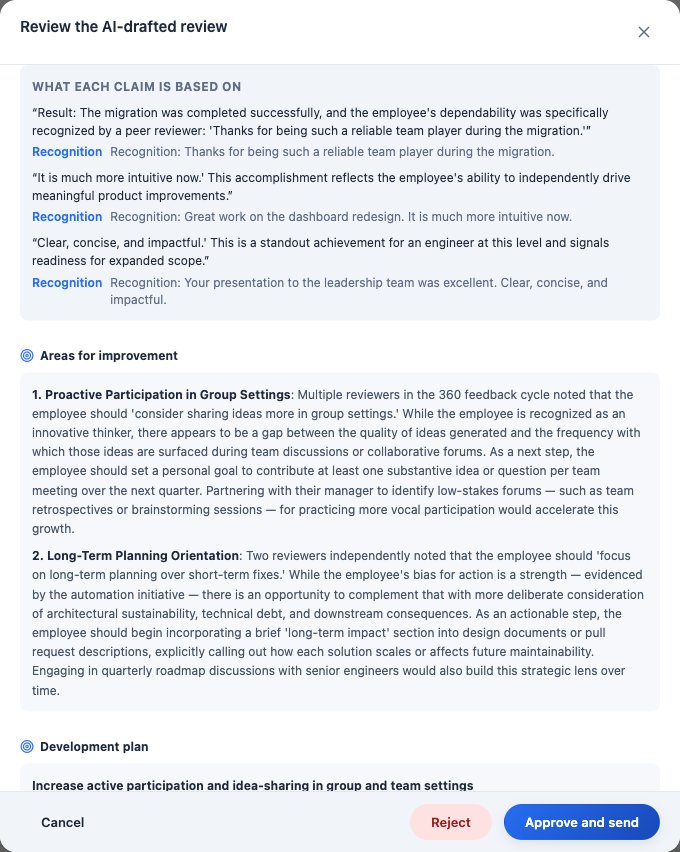
Each claim next to the recognition post it rests on. Approve and send, or reject with a reason
When the draft holds up, select Approve and send and add an optional note for the employee. The employee can read the review once it is approved. If it does not hold up, select Reject and give a reason.
What each plan includes
Plans are Core, Growth, Business and Custom. Compare plans and prices.
Questions
Does the employee see the AI draft?
No. The review stays a draft until the manager approves and sends it. The employee sees only the approved version.
What does Sparko use to write the review?
Objectives and key results that overlap the review period, feedback the person received, public recognition, and shared notes from 1:1s, reflections and 360 responses in the period. Private recognition sent as a direct message is never used.
Can Sparko invent an accomplishment?
Every citation is checked against the records that went into the draft, and a sentence without evidence is left uncited, so an unsupported claim is visible to the manager before anything is sent.
Which plan do I need?
Every plan. On Core, AI drafting uses the included AI actions and the assistant uses the included assistant actions; Growth and above include unmetered drafting.
Try it in your own workspace. Sparko People is free for 14 days, no credit card required.