How to build a shortlist from your candidate pool
Sparko People scores every applicant against the job the moment they apply, shows why, and keeps interview feedback on the same record. A hiring manager can go from a full pipeline to a ranked list of finalists without exporting anything.
Open the pipeline, sorted by match
Open a job under Recruiting › Jobs and choose Pipeline. Every applicant has a Match percentage, their current title, employer and experience, their stage, and the interview feedback so far. Sort by any column, filter by stage, source or match, and tick rows to move or reject in bulk.
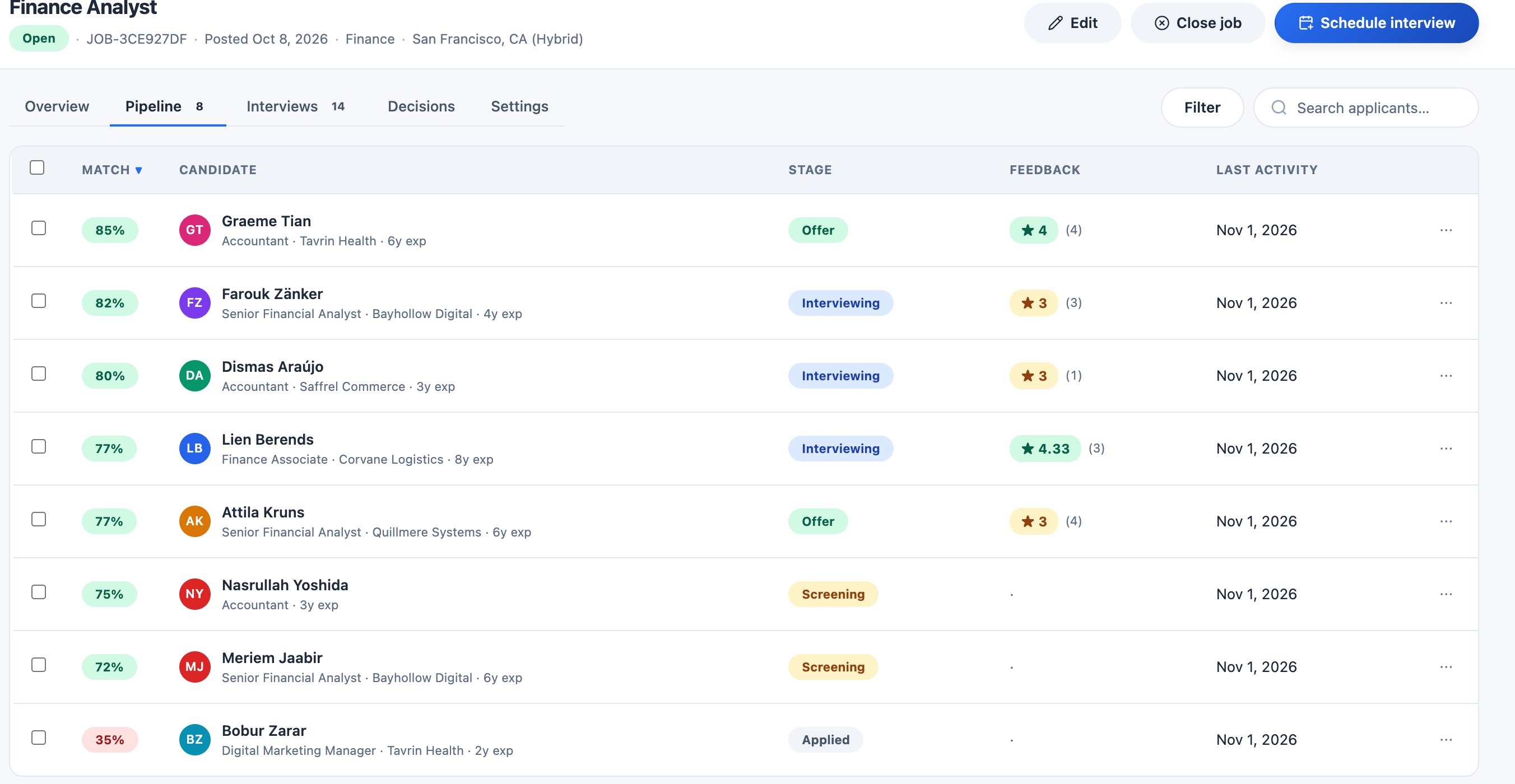
The pipeline, best match first, with feedback beside each person. See why each candidate matches
Select a candidate. The Match section breaks the score into four parts: the job's required and preferred skills (45 points), whether their current role is in the same line of work and level (30), years of experience against what the job asks (15), and location (10). Hovering a score in the list shows the same reasons.
When there is nothing to compare for a factor, it is left out rather than scored as zero, so a résumé that has not been read yet is never marked down for skills.
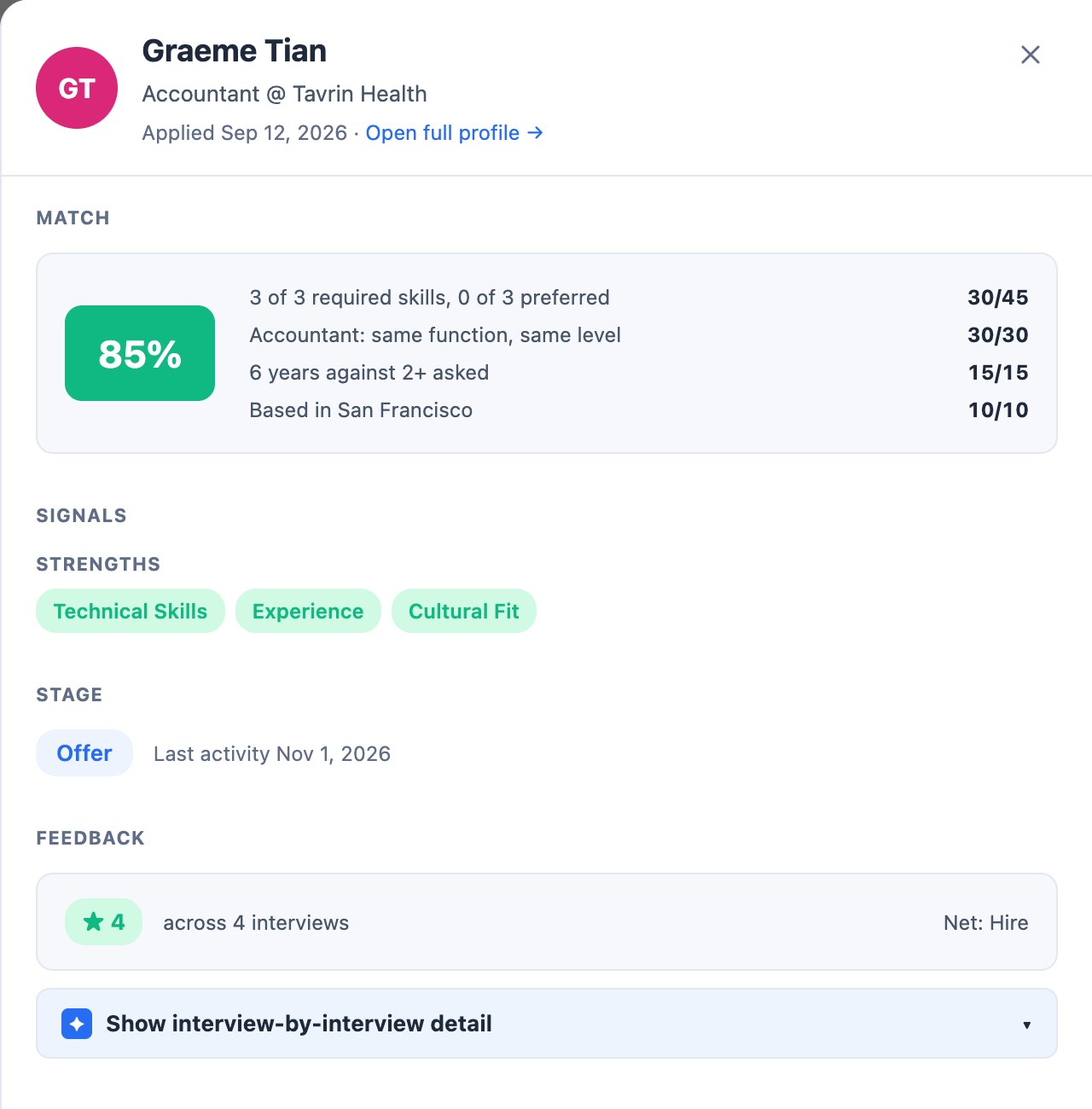
Every score comes with its reasons. Let screening sort the queue
Rule checks screen every applicant as they apply, and AI scores only the borderline cases. Candidates screening would reject wait in Waiting on your review at the top of the pipeline, where you confirm the rejection or keep them in. Screening runs overnight on Core and instantly from Growth.
Rank your finalists
Once interviews are in, open Decisions and select Generate synthesis for all. Sparko ranks the finalists and, for each one, rolls up the panel's scores, the strengths and concerns several interviewers shared, conflicting signals, and possible bias flags such as one interviewer scoring far above the rest.
It is a summary of what your interviewers wrote, to support the hiring decision, not to make it.
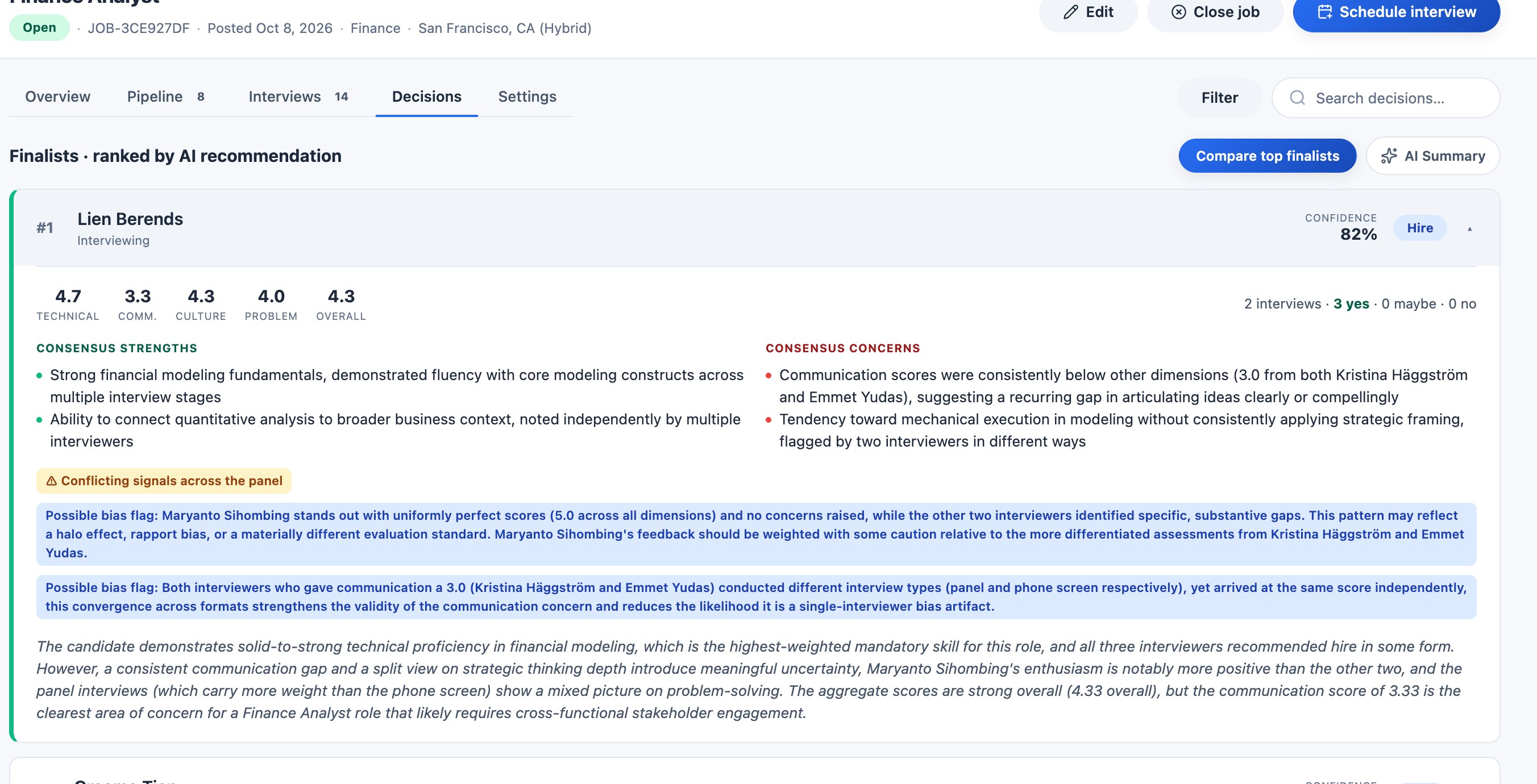
Finalists ranked, with the panel's consensus and any signals worth discussing.
What each plan includes
Plans are Core, Growth, Business and Custom. Compare plans and prices.
Questions
Does Sparko reject candidates on its own?
No. Screening recommends; a person confirms every rejection from the review queue, and that choice is recorded.
What does the match score look at?
Skills against the job's required and preferred skills, the line of work and level of the current role, years of experience, and location. Each part shows its points.
Try it in your own workspace. Sparko People is free for 14 days, no credit card required.