How to give every new hire a 90-day plan
Sparko People drafts an onboarding plan from the role, so a marketing hire gets access to the campaign tools, the brand guidelines and a first campaign brief rather than a generic checklist. HR, IT, the manager and a buddy each see their own tasks, and the new hire sees theirs.
See every onboarding at a glance
Open People › Onboarding. Each plan shows how many tasks are done, split between the new hire's own tasks and everyone else's, and whether it was drafted by AI or by hand. Needs plan lists upcoming hires who do not have one yet.
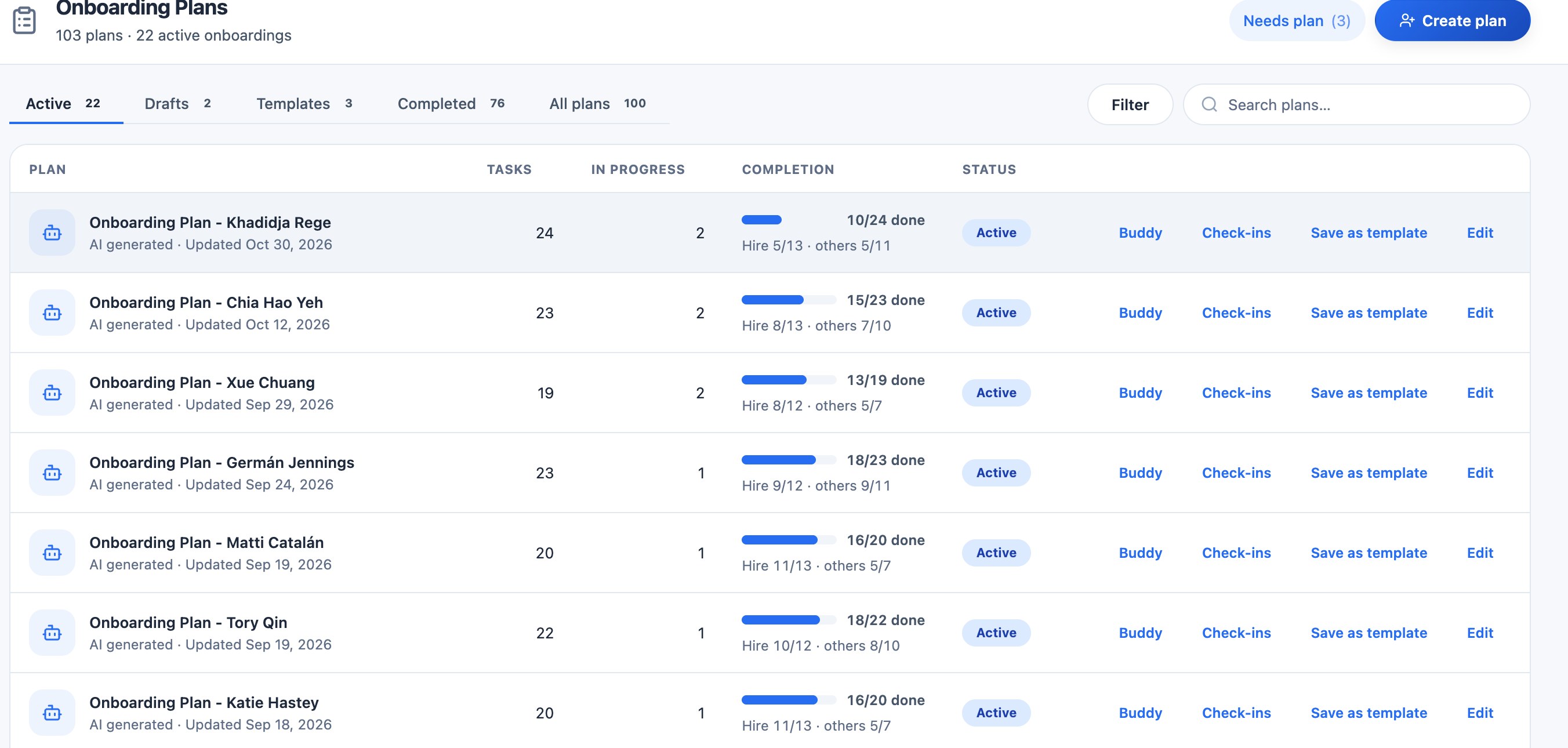
Every active onboarding, with the hire's progress and everyone else's. Create a plan with AI
Select Create plan for a hire. Choose the plan length (30 to 120 days) and confirm the role, department, career track and level, then Generate draft. Sparko proposes tasks for each phase, from before day one to month three, for you to edit before anything is assigned. When an offer is accepted, the new hire's plan is drafted for the manager to review.
Give every task an owner
Open a plan to see its progress, the manager, the start and end dates, the next task and the buddy. Tasks are grouped by phase: Pre-start, Day 1, Week 1, then months one to three. Each task belongs to the new hire, IT, HR, the buddy or the manager, so nothing waits on an unclear owner.
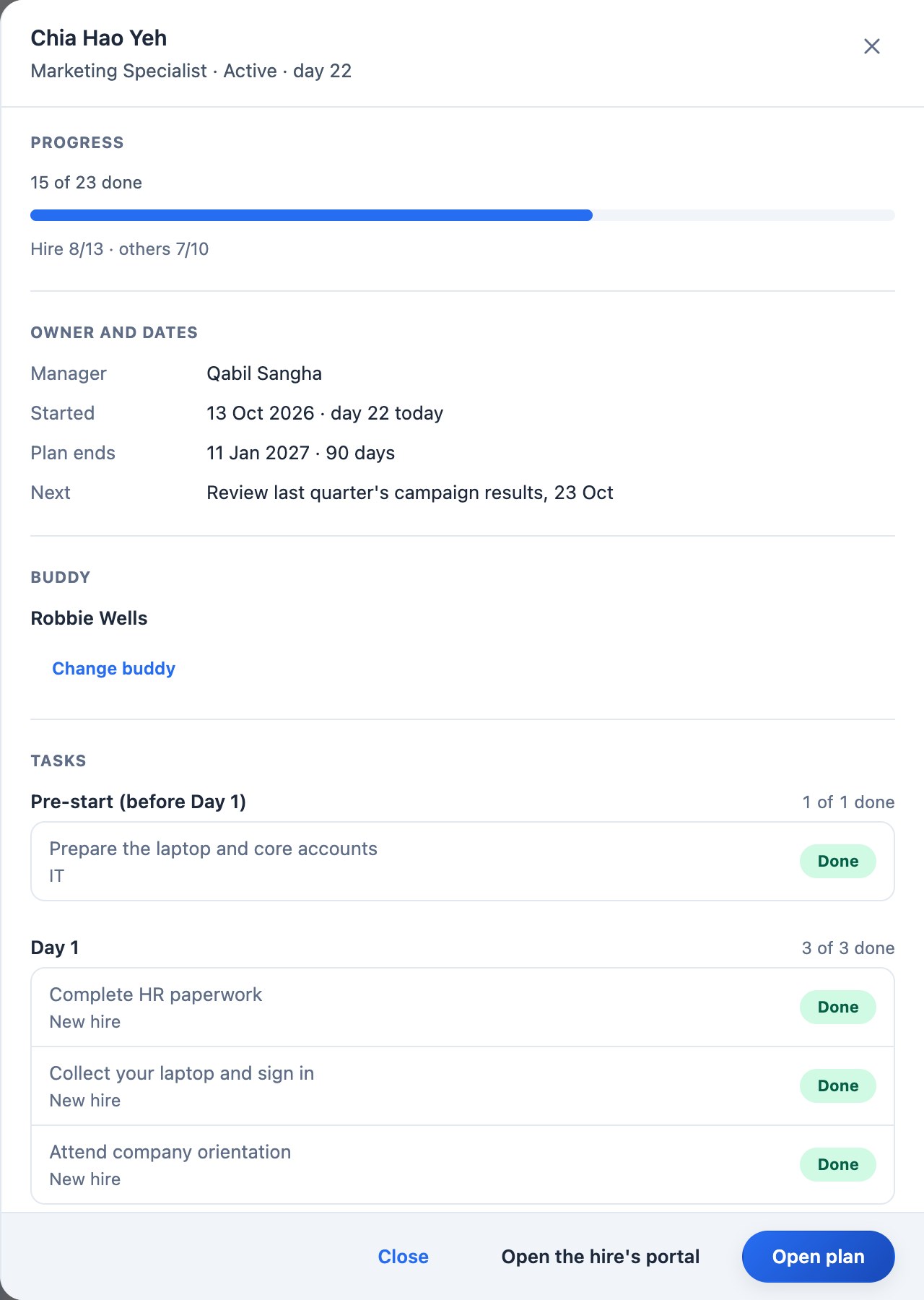
One plan: owners, dates, the buddy and tasks by phase. Show the new hire their own portal
The new hire sees a welcome page with their own tasks, their manager, buddy and HR contact, and quick links to the handbook, org chart and directory. Open the hire's portal shows HR exactly what they see.
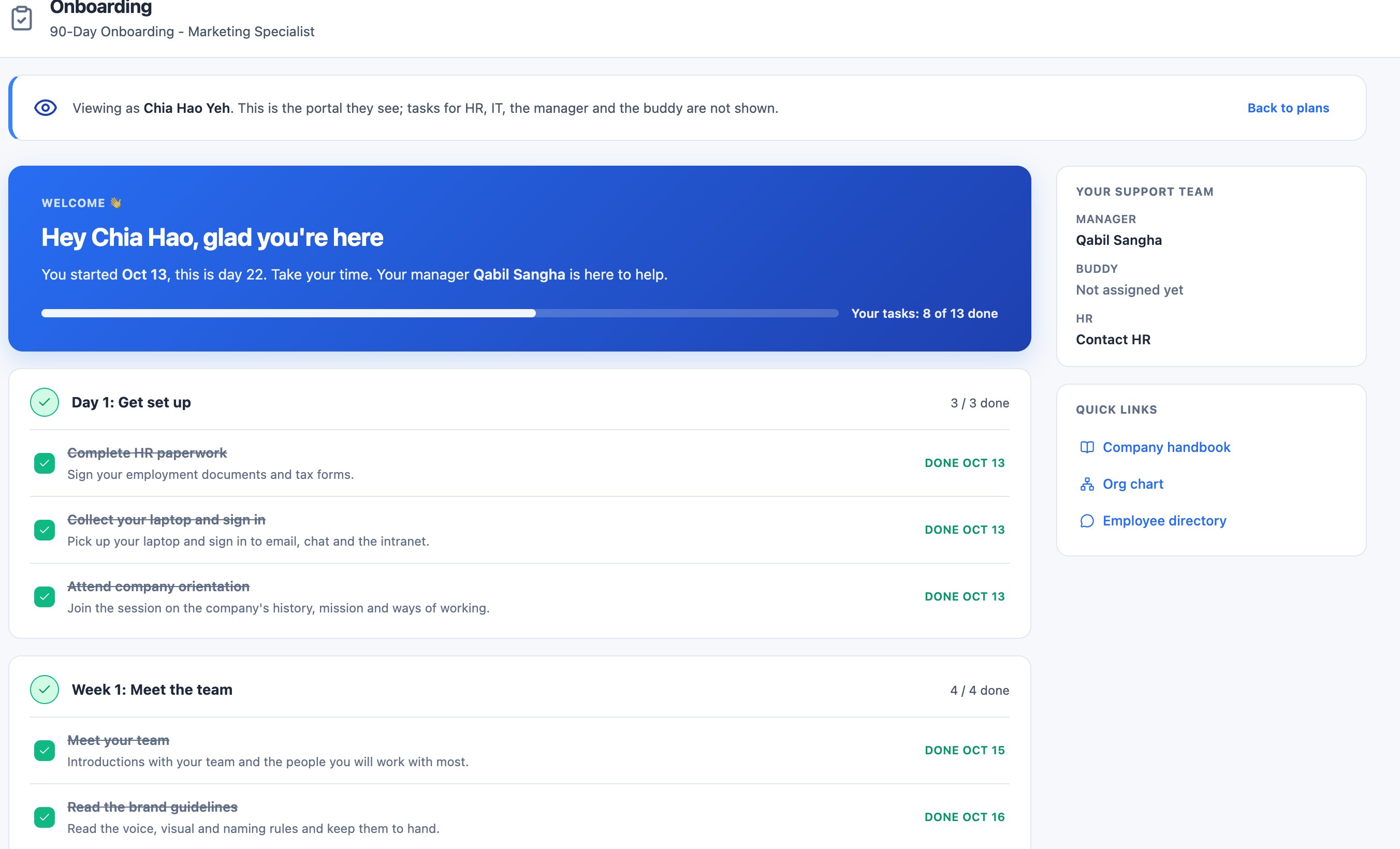
The new hire's portal, as HR previews it.
What each plan includes
Plans are Core, Growth, Business and Custom. Compare plans and prices.
Questions
Is the AI plan the same for every role?
No. It is drafted from the role, department and career track, so tasks differ by job, and you edit it before it is assigned.
Can the new hire see HR and IT tasks?
No. Their portal shows only their own tasks; HR, IT, the manager and the buddy see theirs in the plan.
Try it in your own workspace. Sparko People is free for 14 days, no credit card required.