How to run your review season on Sparko
Starting a review season on a new HRIS can be the same week you sign up. Sparko People imports your team, recommends a review cycle that fits the calendar, drafts each review from the work already on record, and gives managers one place to check, calibrate and share.
This guide follows a company starting its review cycle on a fresh trial, in the order you would do it.
Create the workspace and bring in your team
After signup, guided setup opens. Pick Simple (four steps), Balanced or Advanced, then confirm your company and legal entity.
Under Import your team, upload a spreadsheet or connect your current HRIS (BambooHR, SAP SuccessFactors or Workday) with its URL and an API key. A review window shows every row before anyone is added, then Confirm & launch creates the workspace. Teammates are staged, not emailed, until you send invitations.
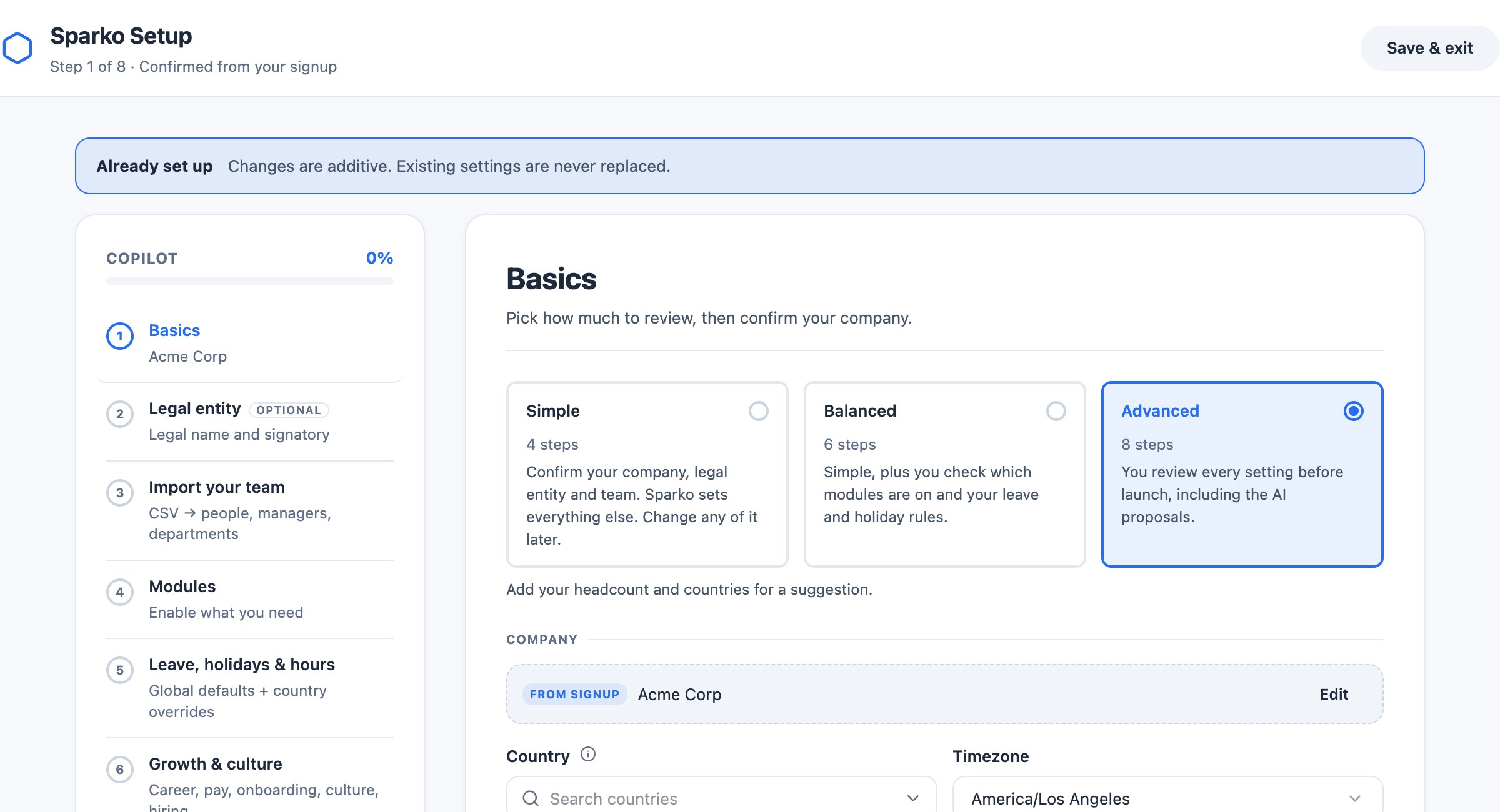
Guided setup: choose how much to review, then import your team. Ask Sparko support to bring your history
Past reviews and leave history can come with you. When your current system has an API, Sparko support moves them over in days, so this year's reviews sit next to last year's. Manual sources such as documents and spreadsheets may cost extra.
Launch a recommended review cycle
Go to Performance › Reviews and select Start review. Smart Suggest fills in a recommended cycle: who is reviewed, the review type and period, a schedule of milestones from self-review to close, the template, and AI pre-drafting from each person's record.
Adjust anything, from the audience to the calibration rules and notifications. The Launch summary on the right updates as you go; Launch cycle starts it, or Save draft keeps it for later.
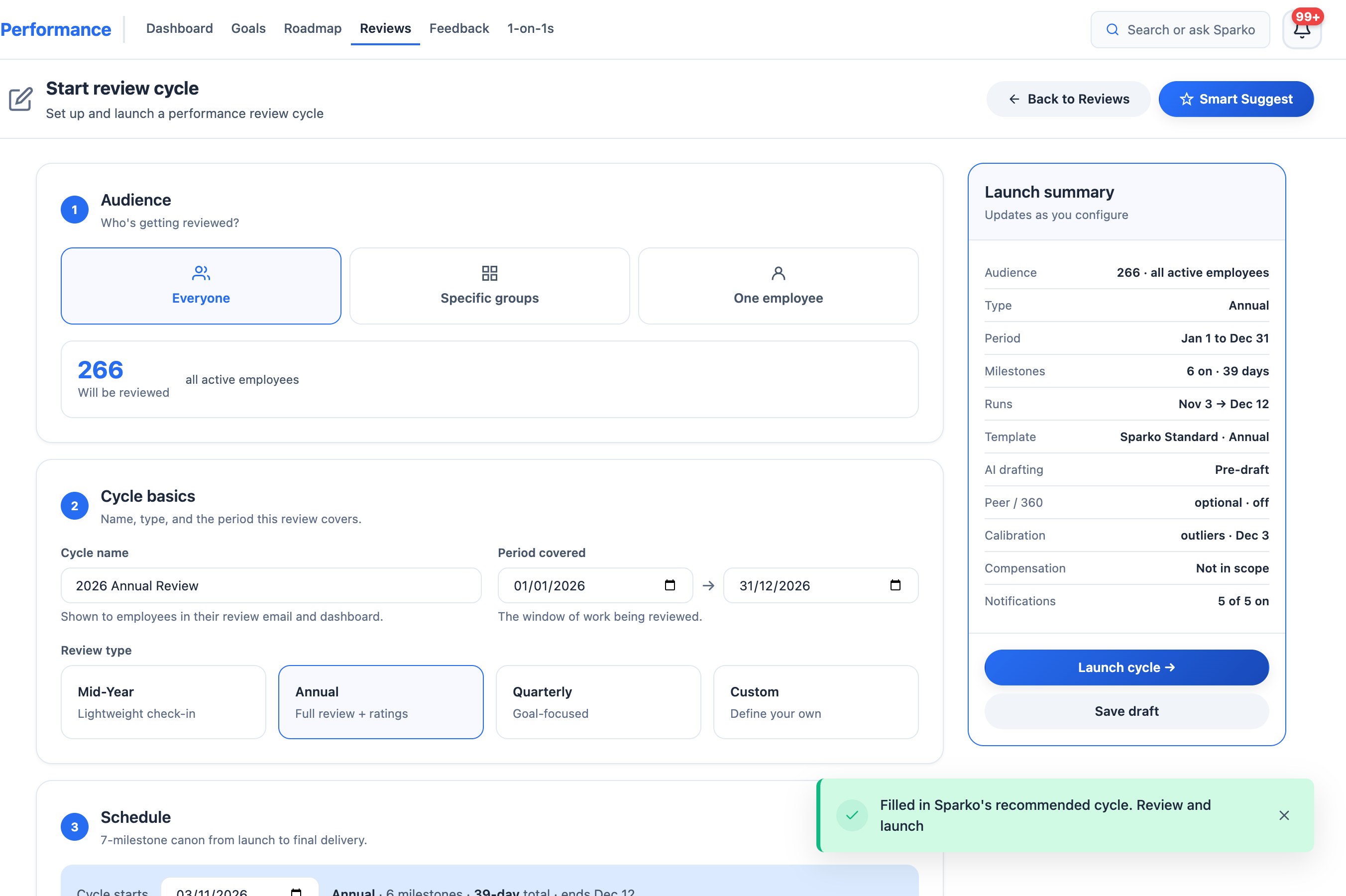
One click fills in a review cycle that fits the calendar. You check it and launch. Let Sparko draft each review
Managers ask Ask Sparko for a review in plain words, confirm, and get a full draft built from goals, feedback, recognition and 1:1 notes in the period. The draft is saved, not shared, and a suggested rating comes with it.
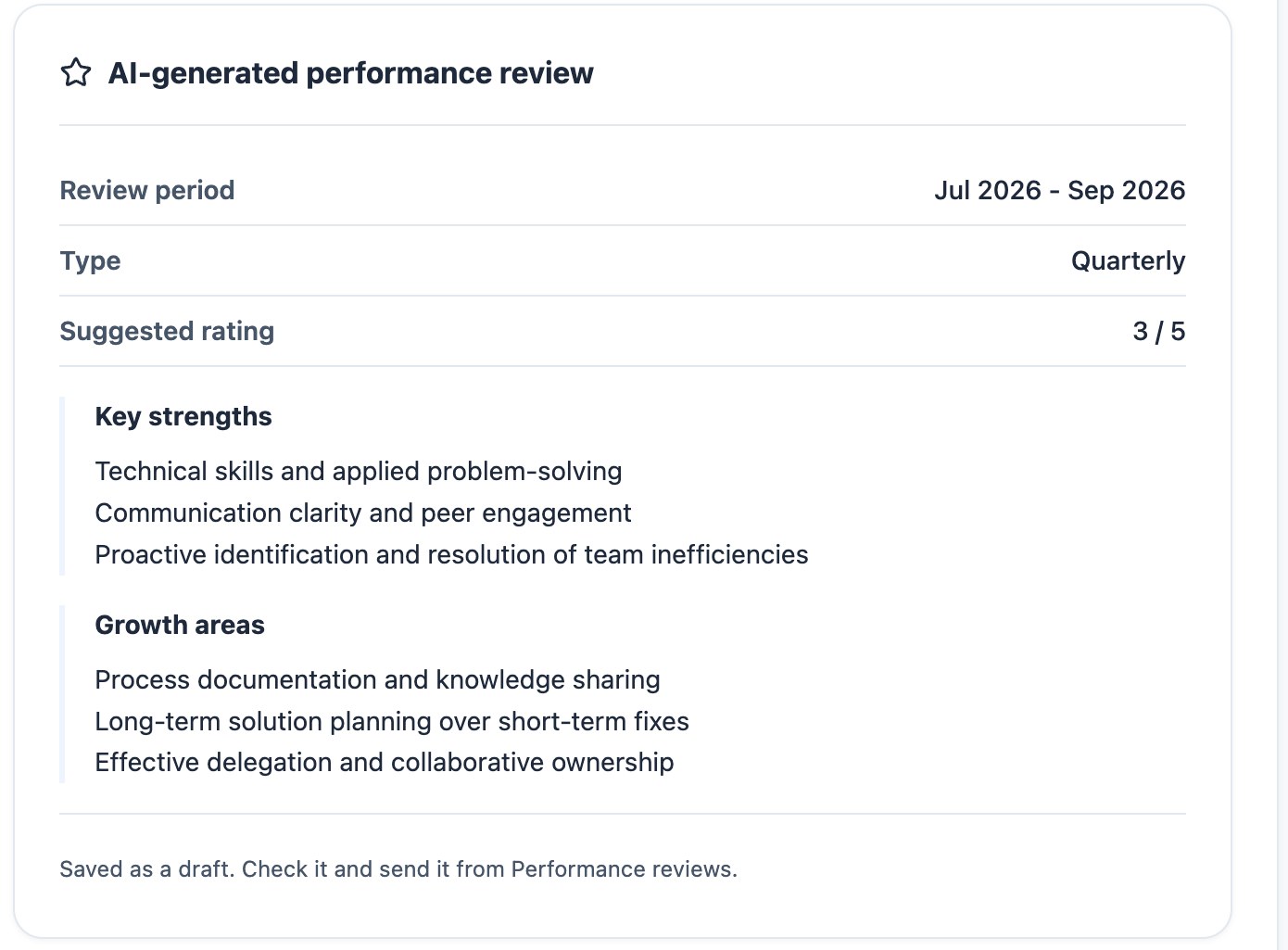
A full review draft, saved for the manager to check. Check each draft and approve it
In Performance › Reviews › Team, Review draft opens the review with What each claim is based on: every sentence next to the objective, feedback or recognition behind it. Approve and send, or reject with a reason. The guide on writing a performance review with AI walks through it step by step.
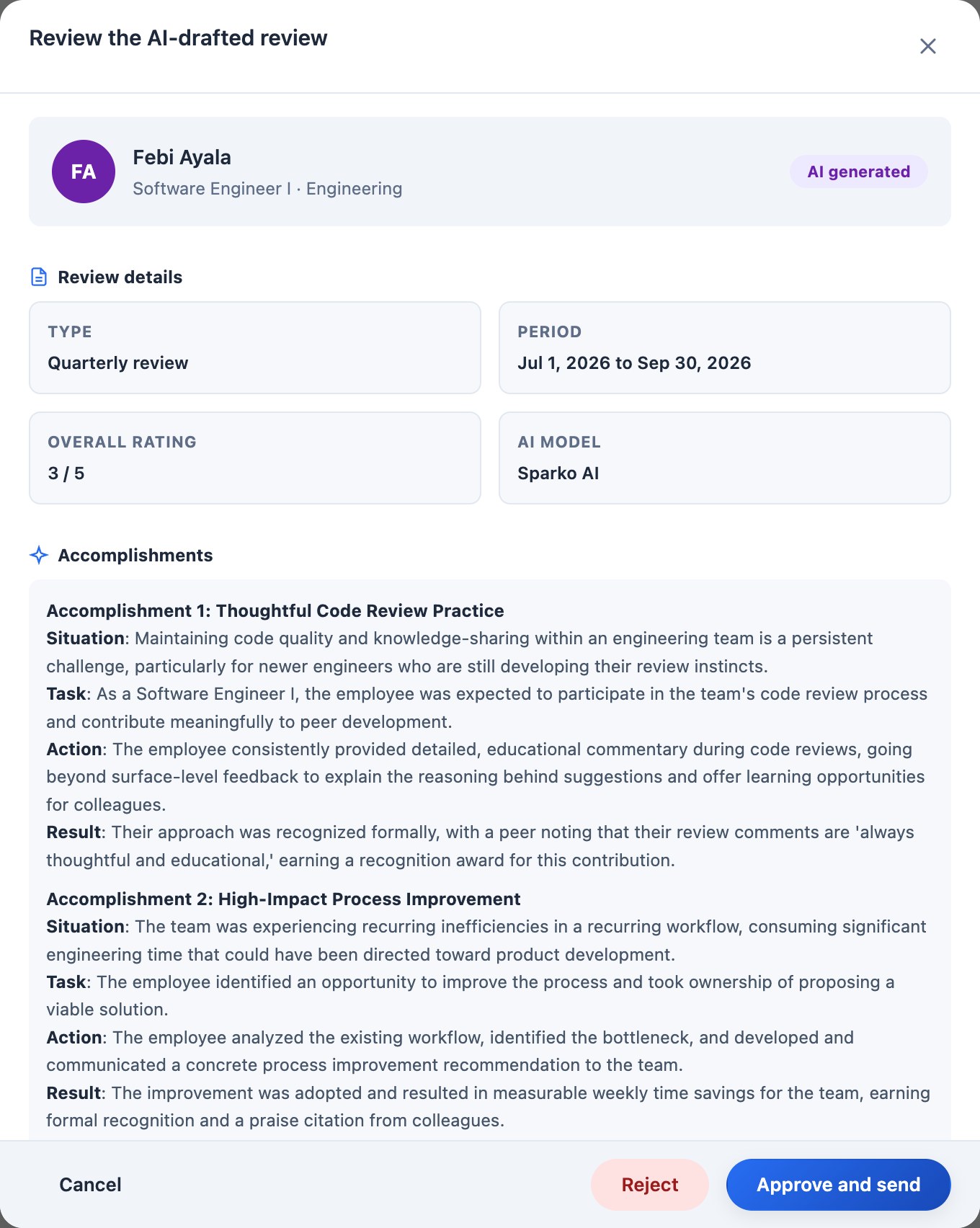
Every draft opens with its accomplishments, rating and sources, ready to approve. Calibrate ratings across managers
A calibration session shows the Rating distribution against your targets, a Cohort breakdown by manager or level, and each person's self, manager and final scores. Record each decision as discussed or adjusted, then Finalize calibration and Export decisions log for your records. Employees are never present.
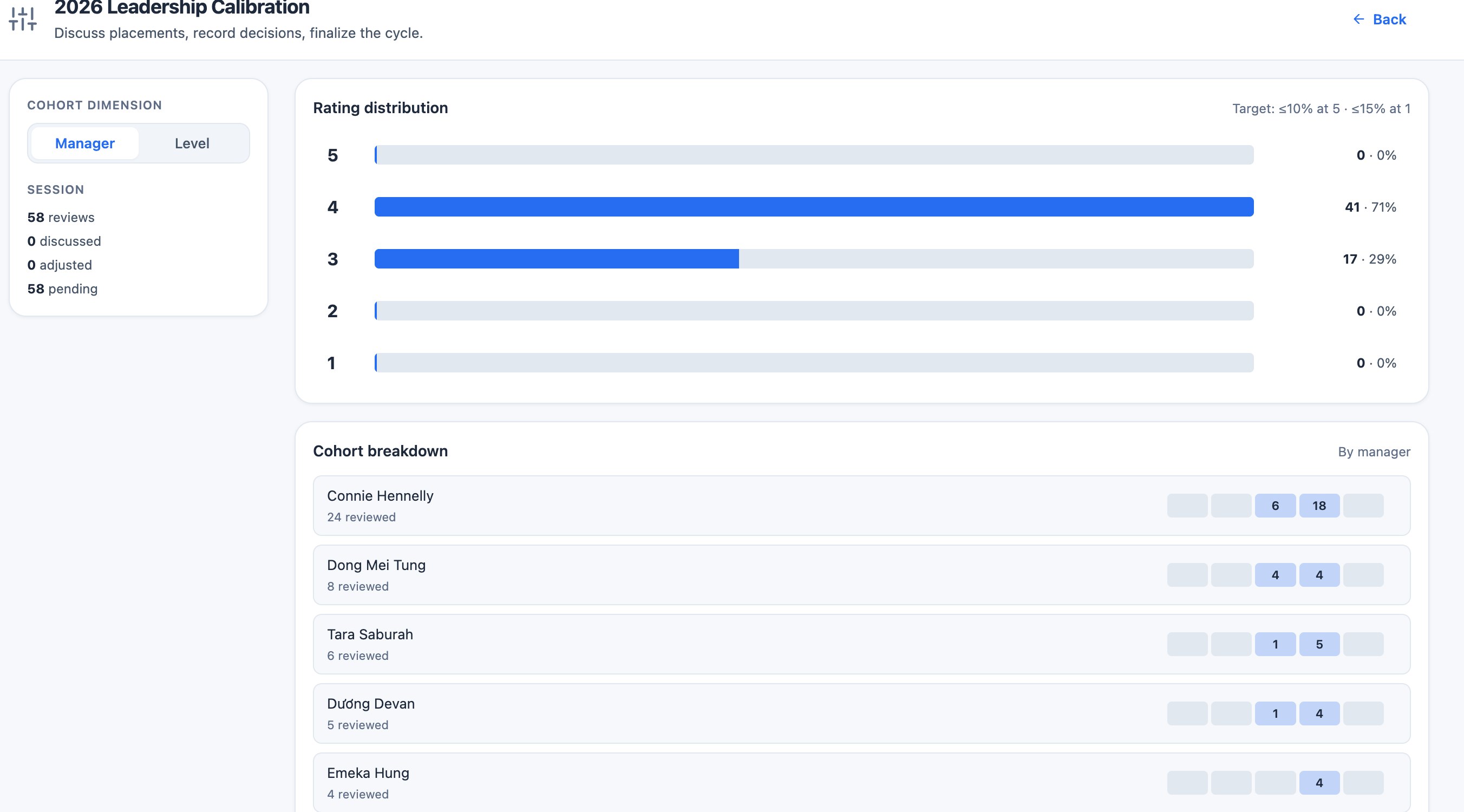
Calibration: the distribution against your targets, and each manager's cohort. Share the results
Approved reviews go to employees, who acknowledge them by the date in your schedule; reminders go out on the days you chose. After the cycle closes, each person's rating joins their growth trajectory for the next season.
What each plan includes
Plans are Core, Growth, Business and Custom. Compare plans and prices.
Questions
How soon can we start reviews after signing up?
The same day. Guided setup imports your team, and Smart Suggest builds a review cycle you can launch once you have checked it.
Can we bring last year's reviews and leave history?
Yes. When your current system has an API, Sparko support moves past reviews and leave history over in days. Manual sources such as documents and spreadsheets may cost extra.
Do employees see the AI drafts?
No. Drafts stay with the manager until they approve and send them.
Try it in your own workspace. Sparko People is free for 14 days, no credit card required.