How to track documents and work permits before they expire
In Sparko People, permits and IDs are records, not loose files. Each one has a number, issue and expiry dates, the authority that issued it and a history of every copy, so HR can see what needs action across every entity at once.
This guide covers the HR view: what needs action, what expires next, and how renewals and holds work.
See everything that needs action
Open People › Documents and ID. The tabs split the list into Needs action, To verify, Expired, Expiring and Missing, with a count on each, across workers and contractors in every paying entity.
What a worker must hold depends on the entity that pays them. A UAE entity, for example, asks for a residence visa, a work permit, an Emirates ID, a passport and medical fitness. Numbers are encrypted and shown masked, and every reveal is recorded in the audit log.
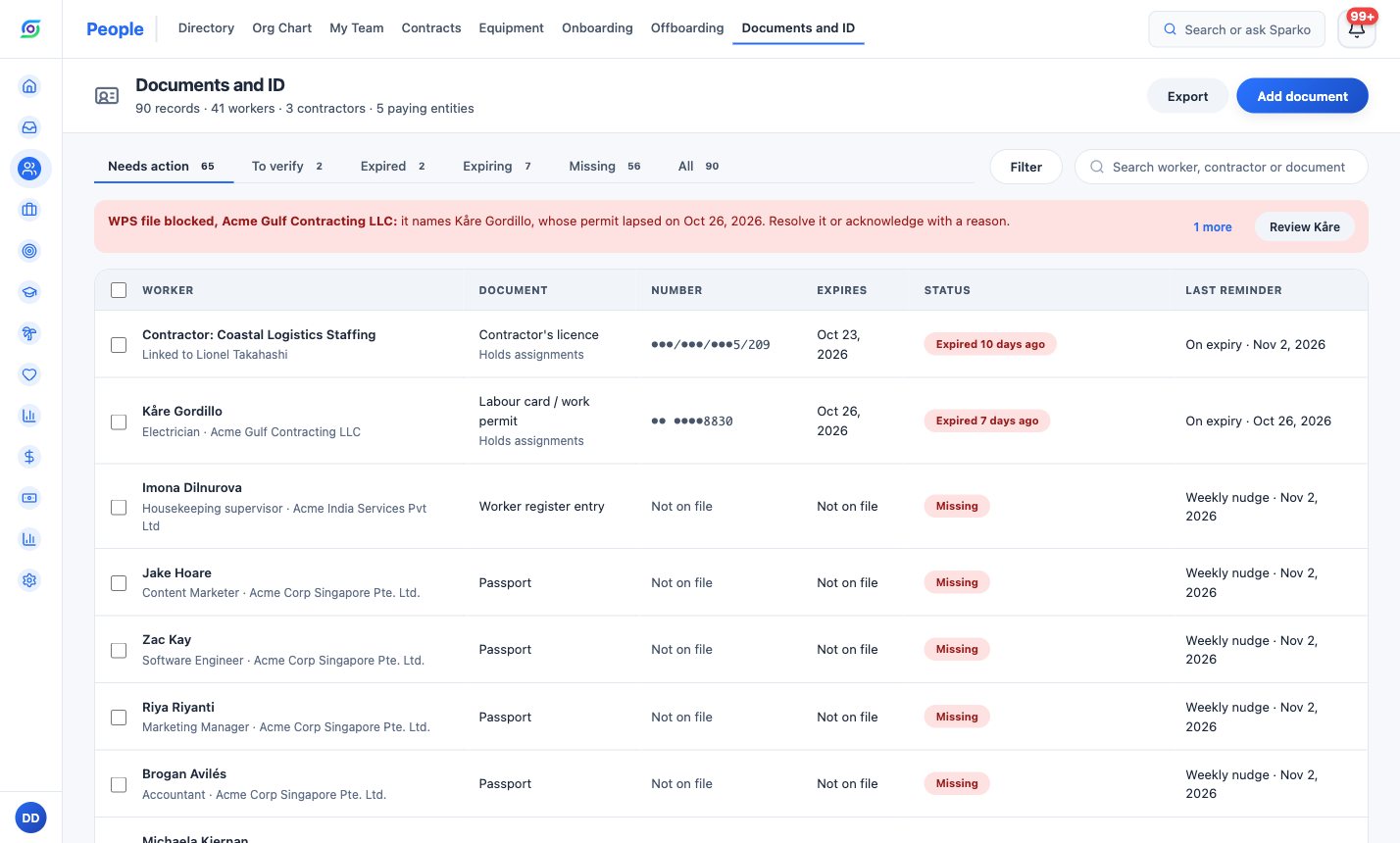
Needs action: expired and missing documents first, with the last reminder for each. Plan renewals from the Expiring tab
A document reads Expires in N days once 90 days or fewer are left. Reminders go to HR and the worker by email and in Sparko 90, 60, 30 and 7 days before expiry and on the day it expires, and the manager is copied from 30 days before. A missing document gets one reminder a week.
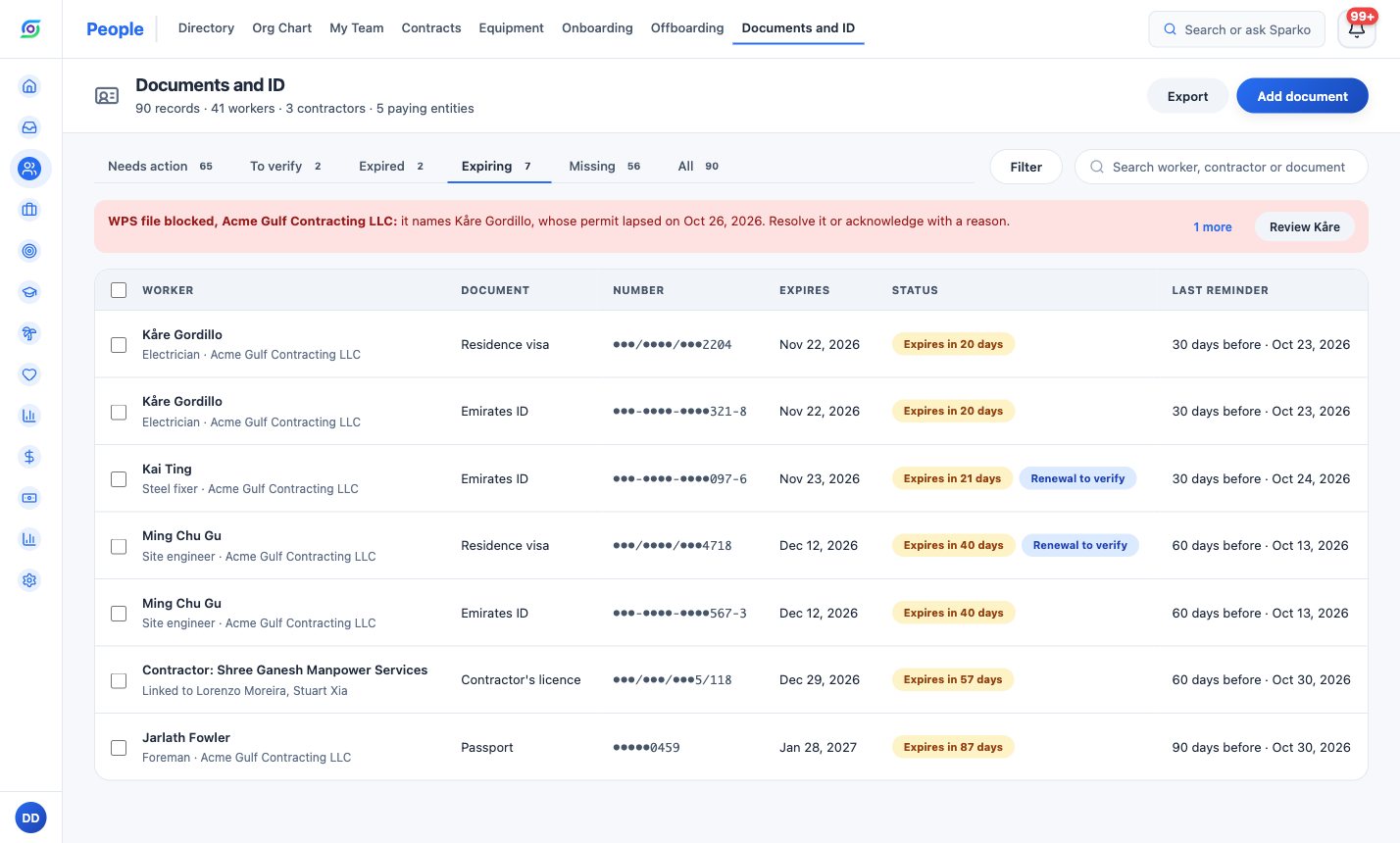
Expiring documents in date order, with the reminder schedule beside each one. Verify renewals and remind from one place
Select a worker to see every document they hold, with its status and its history under Trail. Send reminder sends one now.
Workers upload renewals from their own profile. HR compares the new copy with the original and chooses Verify or Send back; the current copy stays in place until the new one is verified.
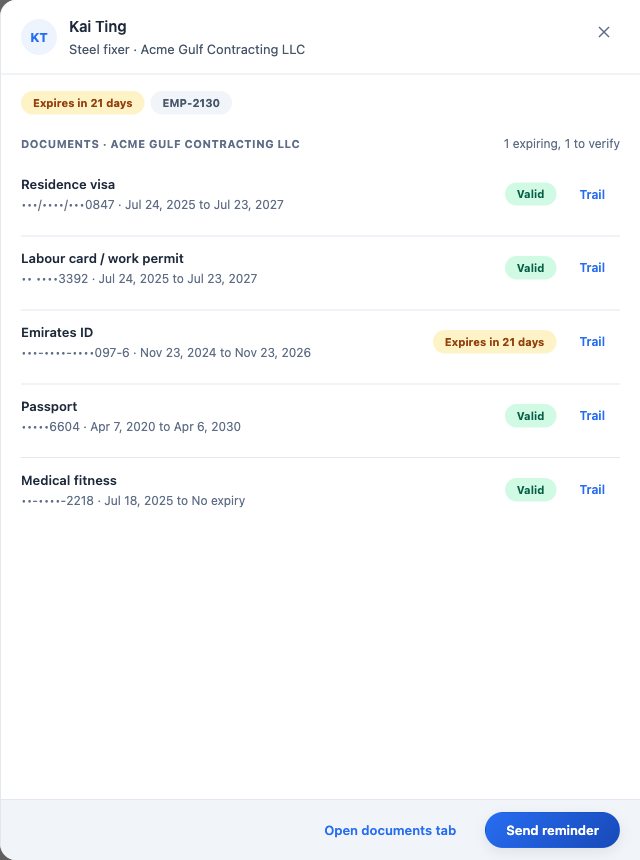
One worker's documents, each with its status and renewal trail. Let holds catch a lapsed permit
When a required work permit or contractor's licence expires, the worker cannot be given a new assignment or roster shift, from the day after the expiry date.
A payroll run that names that worker shows a Lapsed permit check. On Business, where Sparko produces UAE WPS files, the WPS file stays blocked and an alert names the entity and the workers. Payroll can release it for that run only by acknowledging the worker with a reason, which goes into the run log.
What each plan includes
Plans are Core, Growth, Business and Custom. Compare plans and prices.
Questions
Who gets reminded, and when?
HR and the worker, by email and in Sparko, 90, 60, 30 and 7 days before expiry and on the day. The manager is copied from 30 days before. Missing documents get one reminder a week, and reminders pause while HR checks a renewal.
Can workers upload their own renewals?
Yes, from Documents and ID on their own profile. HR verifies or sends back each renewal, and every old copy stays in the trail.
Which documents does each worker need?
It depends on the entity that pays them, and HR sets it in Admin › People › Documents and ID. A contractor's licence sits on the contractor, so one renewal updates everyone they supply.
Who can see the full document number?
Numbers are encrypted and shown masked. People with permission see a Reveal link, and every reveal is recorded in the audit log.
Try it in your own workspace. Sparko People is free for 14 days, no credit card required.