How to run a pulse survey and read the results
Regular pulse surveys are how a growing company hears how people are doing between review cycles. In Sparko People they sit next to the rest of your people data, so results connect to engagement trends and retention.
Build the survey from a template
Open Engagement › Surveys and select Create survey. Start from a template such as quarterly engagement, eNPS, a new-hire 90-day pulse or an inclusion check-in, or drag questions from the library into themed groups.
Set the audience (everyone, or narrowed with filters), the schedule and the anonymity tier. The footer shows the question count and estimated completion time as you build.
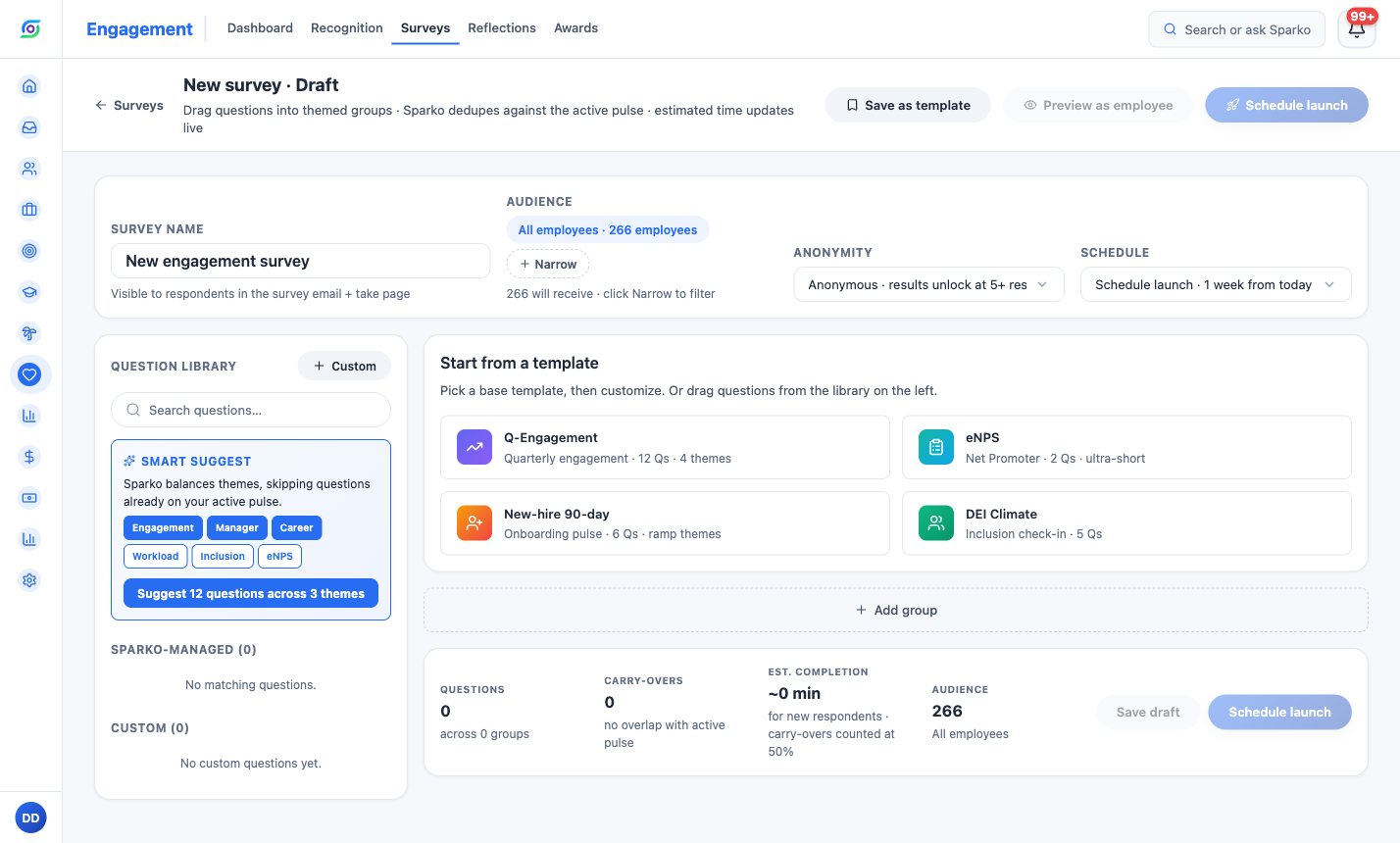
The survey builder: audience, anonymity, schedule and templates on one screen. Choose how anonymous it is
Anonymous stores no identity with answers, and individual results stay hidden until at least five responses are in. Anonymous · de-identified never shows raw written replies to reviewers, at any count. Identified says up front that answers are attributed.
Daily and weekly pulses are confidential: answers are stored with identity to power answer carry-over and retention insights, and leaders only ever see aggregates.
Track response rates
The surveys list shows each survey's response rate, audience and close date, with tabs for active, paused, draft, scheduled and closed surveys. A running survey can be paused and resumed, and you can still add questions or extend the close date.
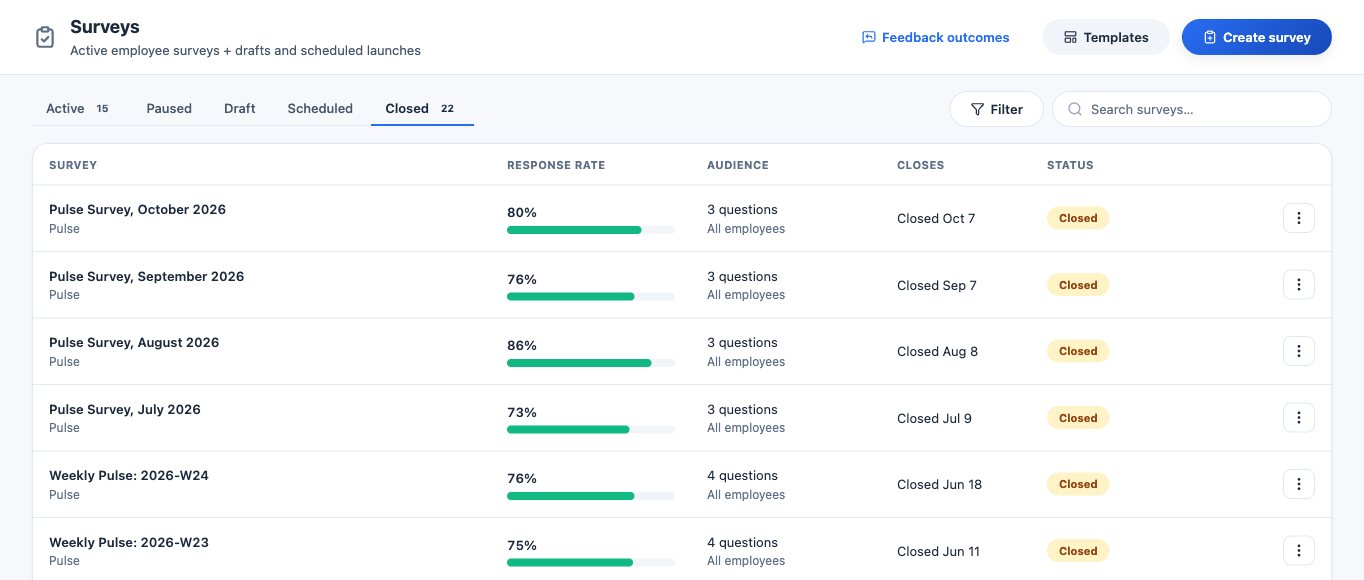
Closed surveys with their response rates. Read the results
Open a survey to see responses, the response rate, the average for each question and AI themes drawn from written answers. Each scale question can show its change against the previous run of the same series, when both runs meet the anonymity floor.
For the bigger picture, the Engagement dashboard shows the trend across pulses, and on Business, which areas track people leaving.
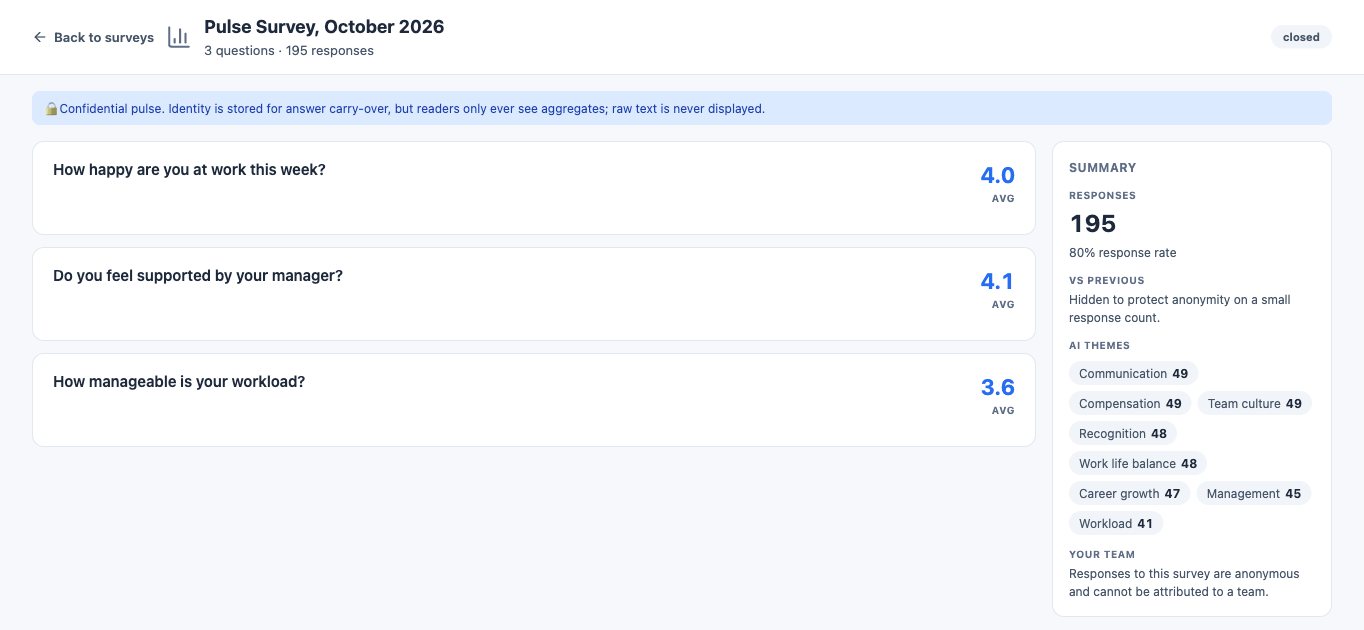
Results: averages per question, response rate and AI themes, shown as aggregates.
What each plan includes
Plans are Core, Growth, Business and Custom. Compare plans and prices.
Questions
Can managers see who answered what?
Not on anonymous surveys: no identity is stored with answers, and results stay hidden below five responses. Pulse answers are confidential, and leaders only see aggregates.
Can I change a survey after it launches?
You can rename it, extend the close date, add questions and edit questions with no answers yet. Sparko blocks edits that would make old and new answers incomparable, such as rewording an answered question.
Does AI read written answers?
AI groups written answers into themes and sentiment. On anonymous and de-identified surveys, reviewers see those summaries instead of raw replies when the anonymity rules require it.
Try it in your own workspace. Sparko People is free for 14 days, no credit card required.